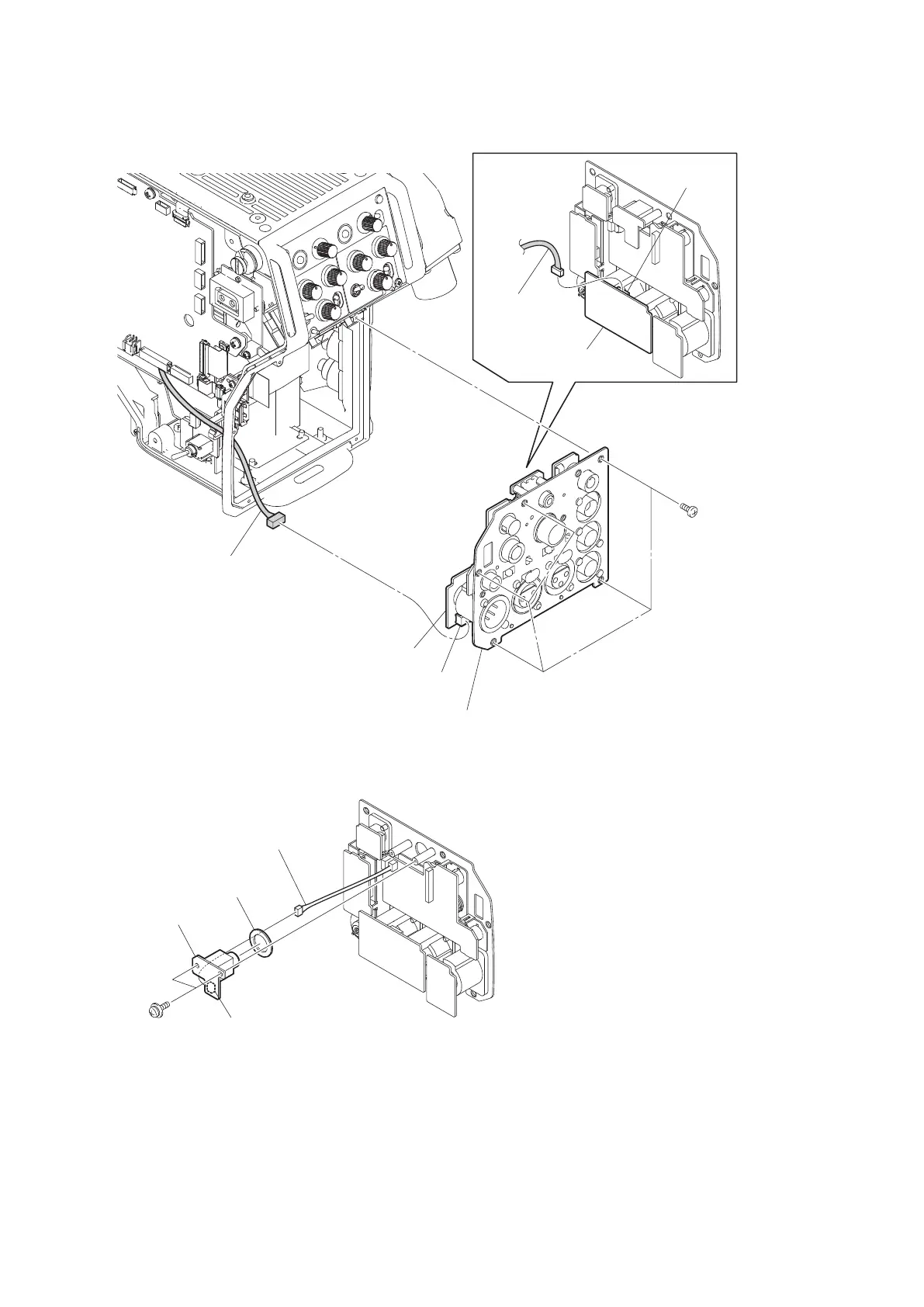
6. Disconnect the harness from the connector (CN1) on the CN-3425 board.
CN-3425 board
CN-3432 board
MIC panel assembly
B2 x 5
CN1
CN2
Harness
Harness
7. Remove the two screws and pull out the CN-3429 board.
8. Disconnect the harness from the connector (CN1) on the CN-3429 board and remove the earphone packing.
CN-3429 board
Earphone packing
Harness
PSW2 x 5
CN1
9. Disconnect the flexible flat cable from the connector (CN1) on the CN-3427 board.
10. Remove the UL tape.
11. Disconnect the three harnesses from the three connectors (CN2 CN3 and CN6) on the CN-3427 board.
HDC4300
4-48



 To Next Page