Procedure
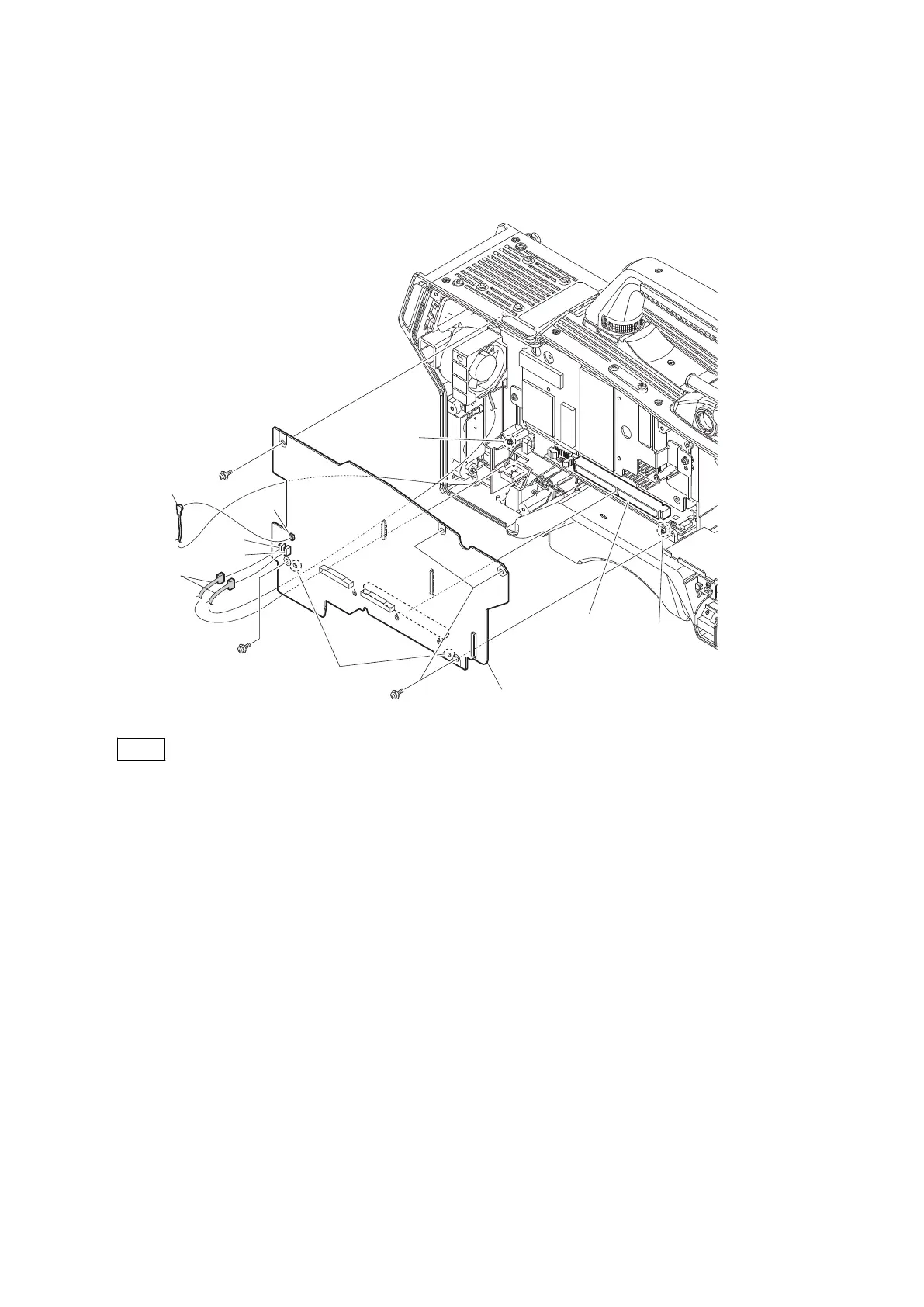
1. Disconnect the coaxial cable from the connector (CN801) on the DPR-370 board.
2. Disconnect the two harnesses from the two connectors (CN106, CN107) on the DPR-370 board.
3. Remove the five screws, and detach the DPR-370 board from the connector (CN102) on the MB-1214 board.
PSW3 x 6
PSW3 x 6
PSW3 x 6
DPR-370 board
Holes
Boss
Boss
CN102
(MB-1214 board)
Coaxial cable
Harnesses
CN106
CN801
CN107
Note
When installing the DPR-370 board, match the two bosses with the two holes.
4. Remove the DPR thermal sheet.
HDC4300
4-31



 To Next Page