Procedure
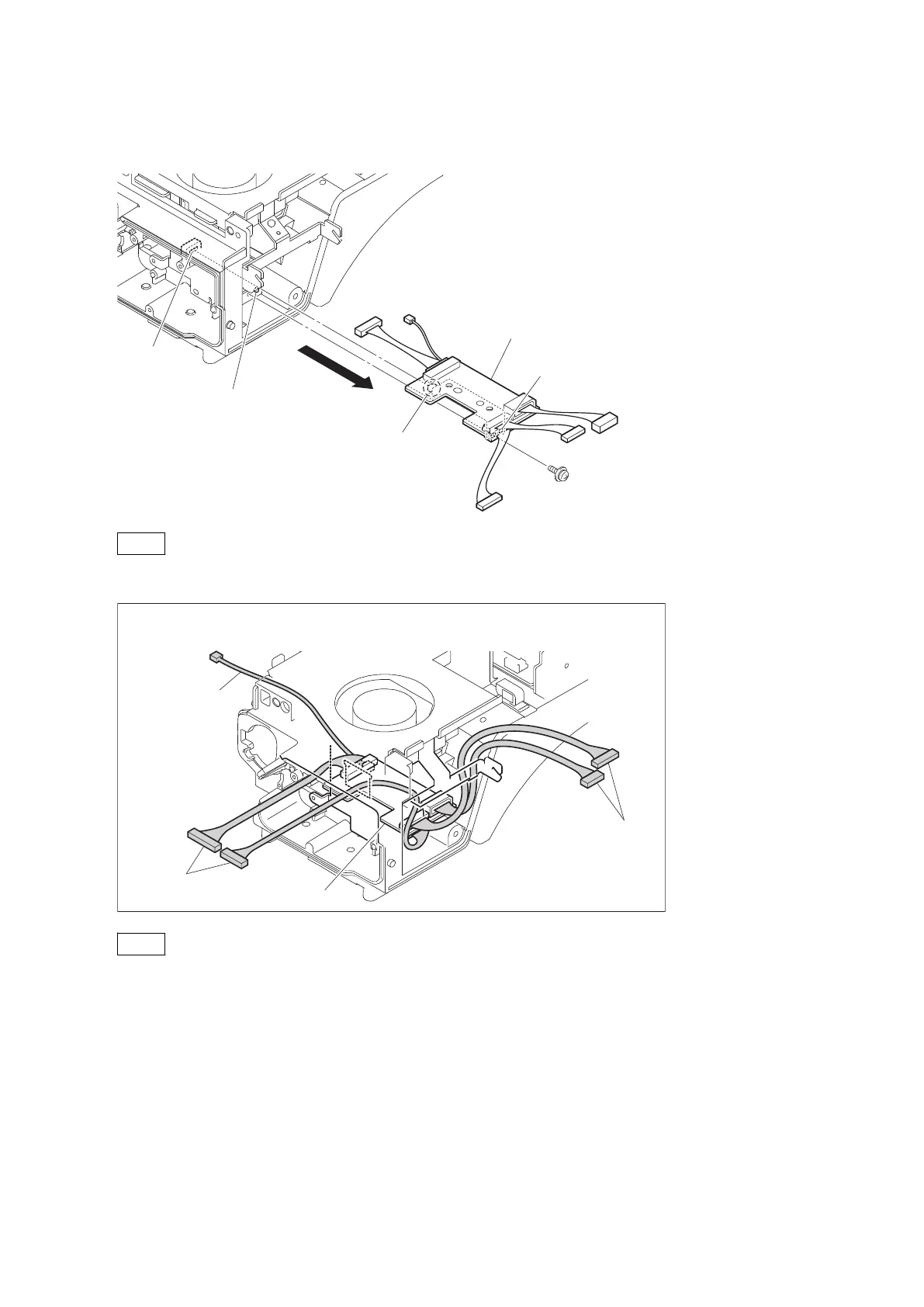
1. Remove the screw, and detach the CN-3424 board assembly.
CN-3424 board assembly
Hole
Slit
Portion A
Boss
PSW2 x 5
Note
When installing the CN-3424 board assembly, match the portion A with the slit.
CN-3424 board
Harnesses
Harnesses
Harness
Arrangement the harnesses from the CN-3424 board
Note
When installing the CN-3424 board, arrange the harnesses as shown in the figure.
2. Disconnect the five harnesses from the five connectors (CN1 to CN5) on the CN-3424 board.
HDC4300
4-39



 To Next Page