3 Design and functional description
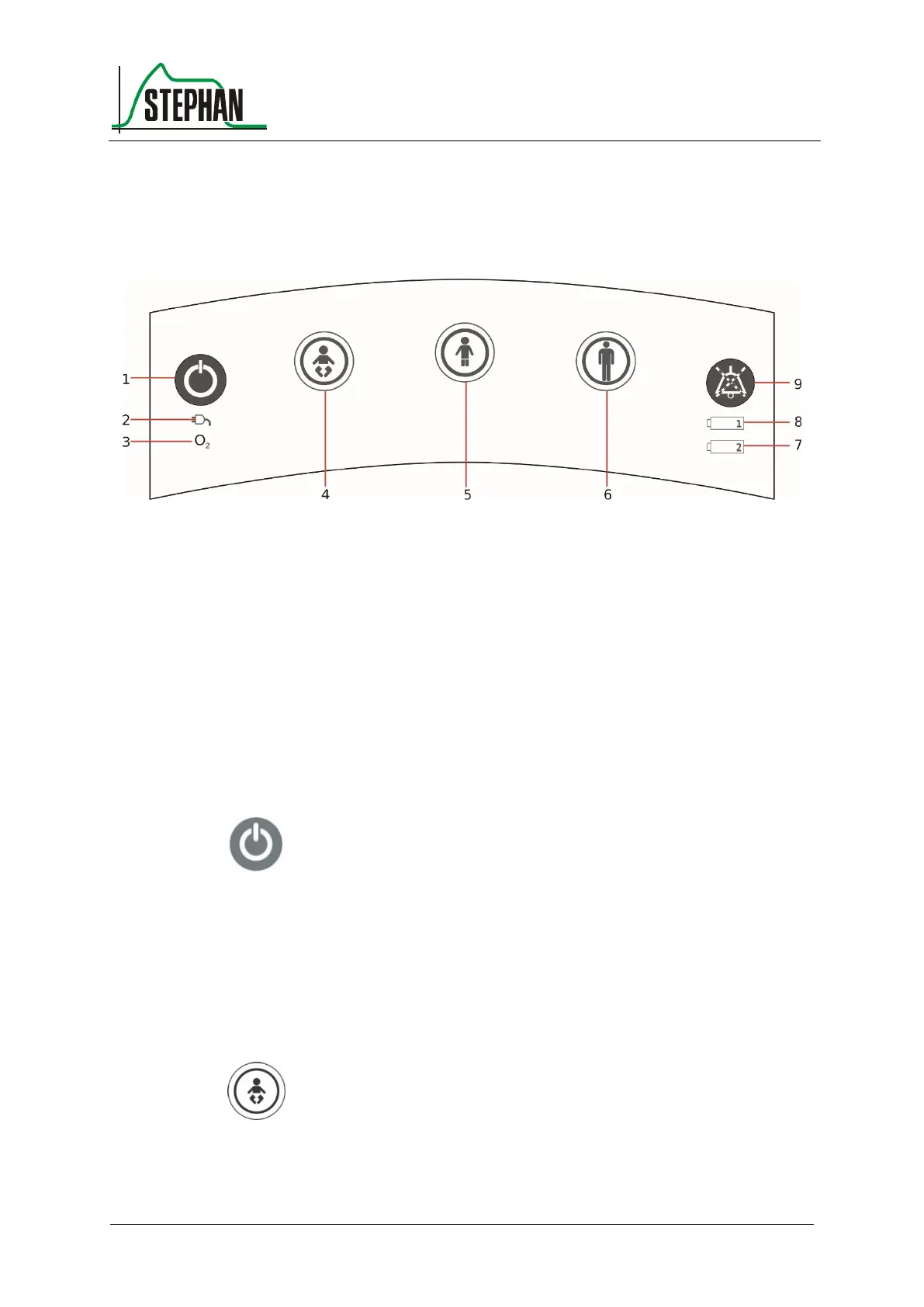
3.1.2 Control panel
Fig. 3: Control panel
6 Adult fast tracking key
7 Battery 2 charge indicator
4 Fast tracking key
Preterm infants and newborns
8 Battery 1 charge indicator
5 Child fast tracking key
9 Acoustic alarm suppression
Press this button to switch the EVE
TR
on/off or, in the case of ongoing
ventilation, to switch it to Standby mode (see chapter 6.2).
To prevent operator errors, the desired fast tracking key must be pressed
for 0.5 s, after which it starts to flash green. Pressing the key again for
0.5 s will then start or switch to the selected ventilation mode.
Pressing this key will start ventilation using the standard parameters for
preterm infants and newborns (see chapter 6.6).
Fast tracking key for
preterm infants and
newborns



 To Next Page