3 Design and functional description
Alarms 3.2.3.3
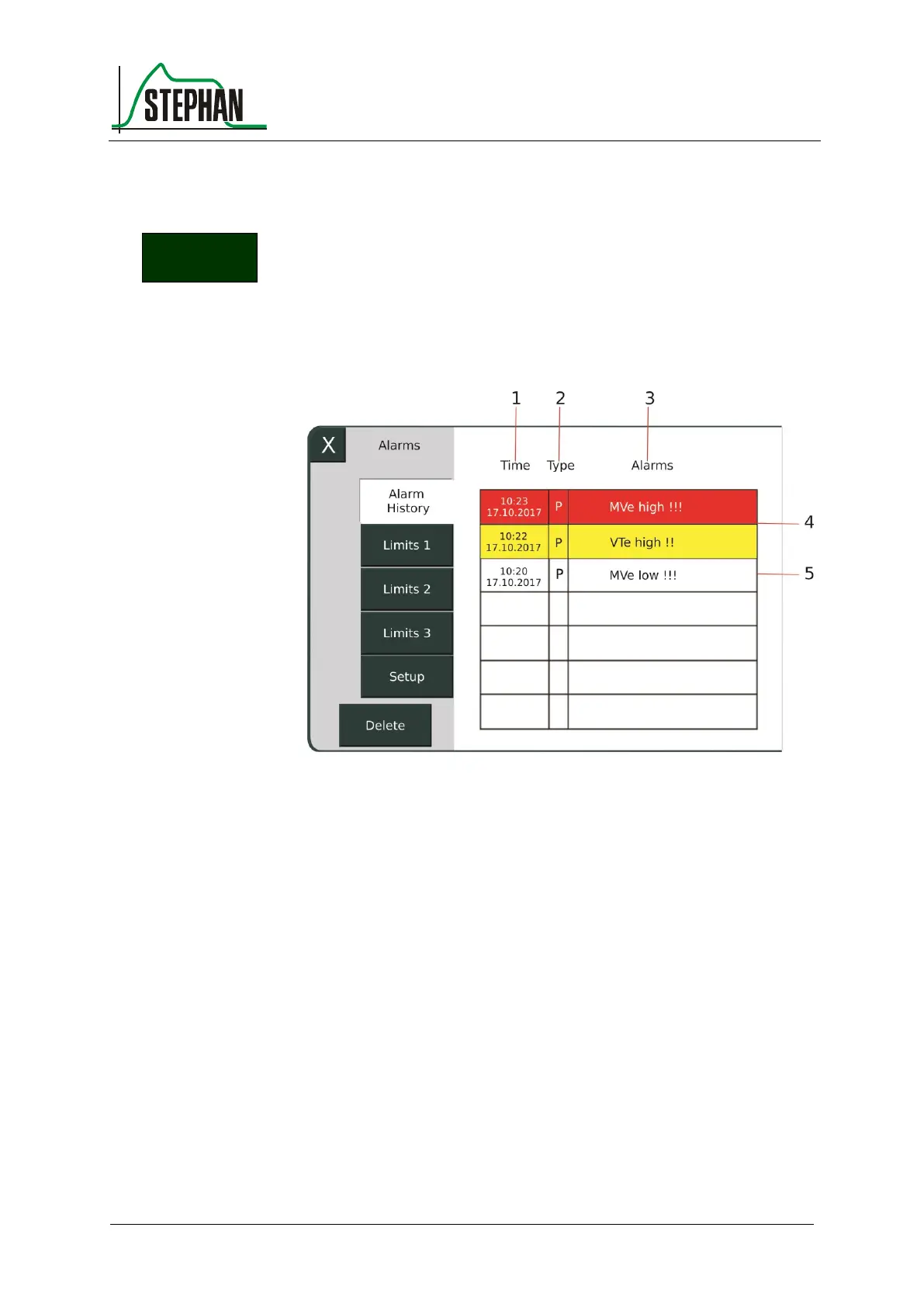
The "Alarms" sub-menu shows the »Alarm History« and all measured
values that are monitored by alarm limits.
Pressing the »Alarm History« field or the alarm indicator
(see chapter 3.2.8) opens a list of the seven most recent alarms.
Fig. 18: "Alarm History" sub-menu
1 Time and date when the alarm
occurred
The system shows the date and time when the alarm occurred, the
category (P = patient alarm, T = technical alarm), and the alarm text.
The color indicates the priority (red = HP alarm; yellow = MP alarm;
white = alarm no longer active).
All active and inactive alarms are stored internally. However, the alarm
history only shows the 7 most recent alarms in chronological order. Once
the cause of the alarm has been eliminated, the message remains, but is
no longer highlighted in color. If an inactive alarm recurs, it becomes
current and appears in the alarm history.
Manually deleting an inactive alarm from the alarm history moves the
next internally stored alarm into the on-screen alarm history.



 To Next Page