3 Design and functional description
3.6 Rear view
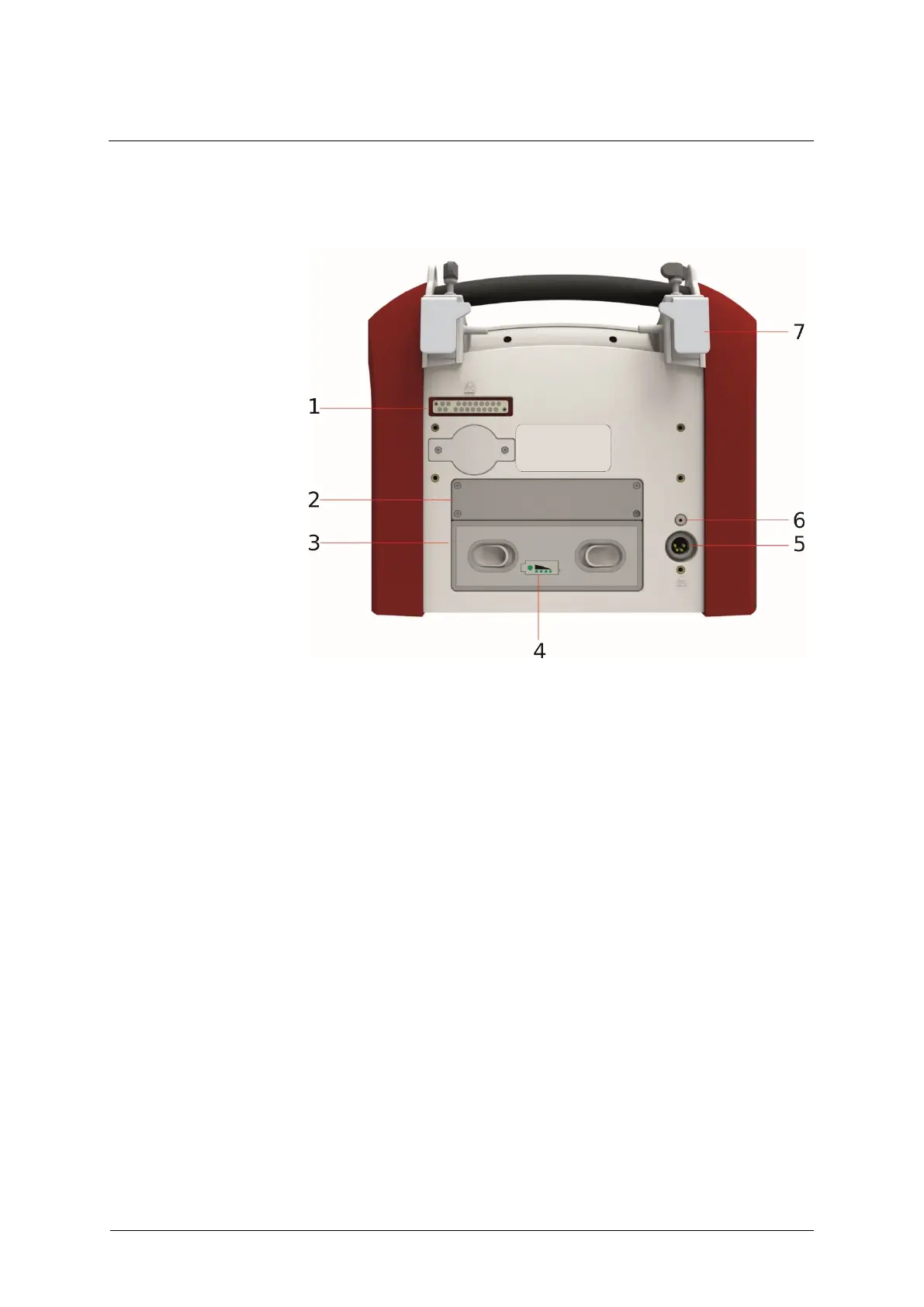
Fig. 41: Rear view
1 Docking station interface
3 External battery 2 (optional)
4 External battery charge level
indicator
The charge level indicator lets you check the external battery (optional)
even when the device is switched off. Pressing the field shows the current
charge level using LEDs.
Pressing the Reset button causes the EVE
TR
to restart. However, it does
not reset the ventilator to factory settings.
External battery
charge level indicator



 To Next Page