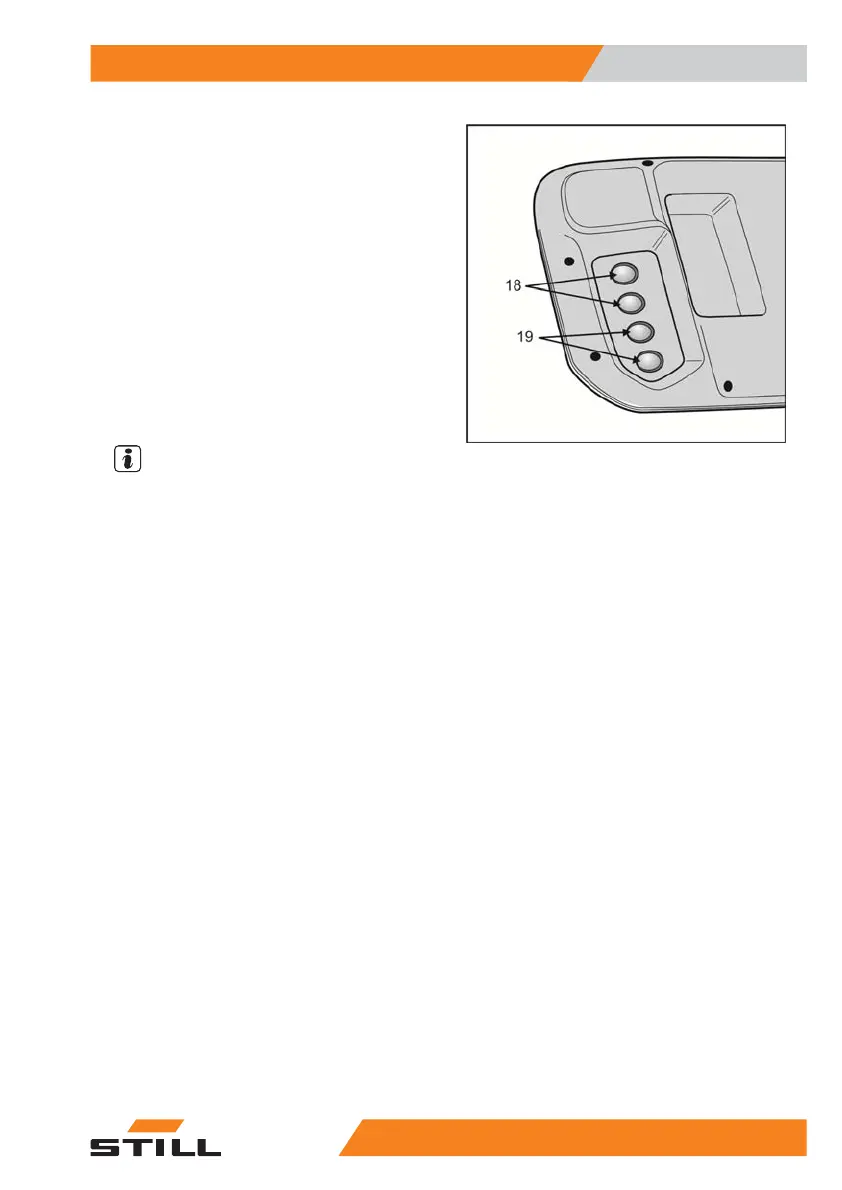
Underside of the operating panel
On the top of the operating panel, there are
four buttons on the right-hand end that are op-
erated using the thumb on your right hand.
There are also four buttons (18) and (19) on
the underside of the operating panel. These
buttons can operated using your other fingers
on the same hand. The functions of the but-
tons on the underside of the operating panel
are identical to the buttons directly above
them on the top of the operating panel. If the
button on the underside of the operating panel
is pressed, the illuminated ring for the button
above it on the top of the operating panel is
activated.
NOTE
The two lower buttons on the right-hand side
of the operating panel are primarily assigned
on an order-specific basis. If the industrial
truck is not equipped with options, the buttons
on the top and underside of the operating pan-
el (19) do not have a function.
Operation
4
Load pick up
795231 804 2502 EN - 04/2020


 To Next Page