The information contained in this document is confidential, and only for the information of the intended recipient and may not be published or redistributed without the prior written consent of Summa NV.
Summa nv Tel +32 59 27 00 11 Fax +32 59 27 00 63 Email support@summa.com Website www.summa.com Page 35 of 76
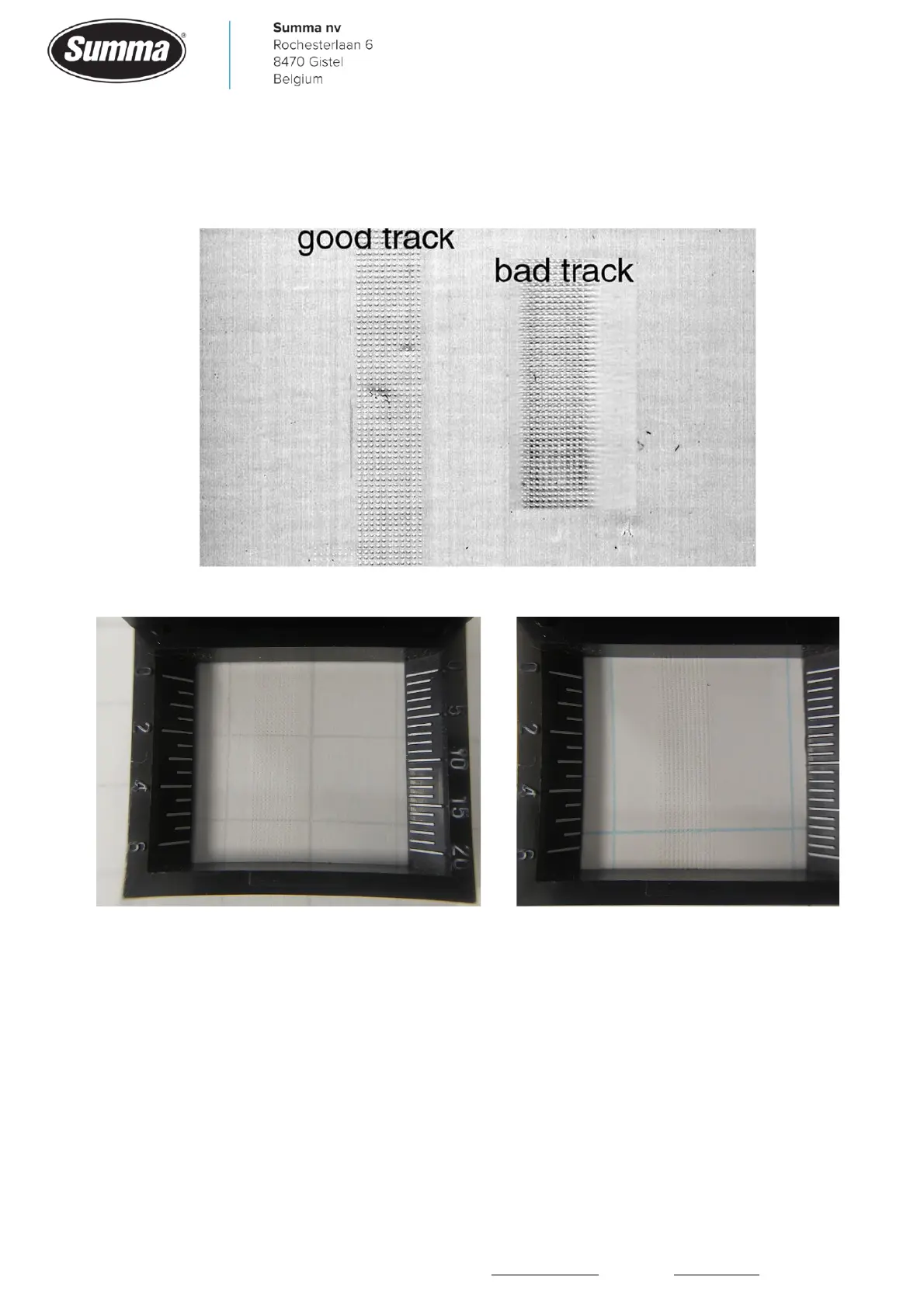
Tracking issues can be recognized at the track that the pinch rollers and grit rollers make on
the rear side of the media after the cutting job has been done. See below picture of a good
track and a bad track.
Use a magnifier to verify the tracking pattern:
In case there are tracking problems check next things:
• As media on a roll has been used, “Autoload” has to be activated: click [Settings] – [More] –
[General] – [Autoload], select “ON” and confirm.
• The wheels and yellow grit rollers on the drive drum have to be free of dirt and other residue.









 To Next Page