EasyManua.ls Logo

SunStar SPS/E-BH6100 - User Manual

SunStar SPS/E-BH6100
75 pages
Print Icon
To Next Page IconTo Next Page
Loading...
1) FOR AT MOST USE WITH EASINESS,
PLEASE CERTAINLY READ THIS MANUAL
BEFORE STARTING USE.
2) KEEP THIS MANUAL IN SAFE PLACE
FOR REFERENCE WHEN THE MACHINE
BREAKS DOWN.
MMEEEE--110000220033
USER
S MANUAL
SPS/E-BH6100
R
SSuunnSSttaarr CCOO..,, LLTTDD..
Direct Drive, Electronically
Controlled Lock Stitch
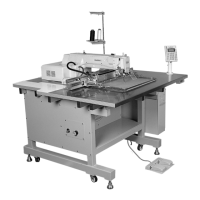
Button Hole Sewing Machine
(Electronic Control Part)

Table of Contents

Questions and Answers

  • S
    Scott PerkinsAug 20, 2025
    What to do if there is a knife motion error on my SunStar SPS/E-BH6100 Sewing Machine?
    • M
      Mary AndradeAug 20, 2025
      If you're experiencing a 'Knife motion error' with your SunStar Sewing Machine, first, examine the solenoid and air pressure. If the issue persists, then inspect the sensor and the sensor plate.
  • C
    christinaramirezAug 22, 2025
    How to fix encoder AB error on SunStar SPS/E-BH6100 Sewing Machine?
    • H
      Haley WoodsAug 22, 2025
      If your SunStar Sewing Machine is showing an 'Encoder AB error', check the connector connection to ensure it is properly connected. Also, verify the encoder cable.
  • B
    benjamin38Aug 25, 2025
    What should I do if the main shaft motor overloads on my SunStar SPS/E-BH6100 Sewing Machine?
    • T
      Timothy ParkAug 25, 2025
      If your SunStar Sewing Machine is experiencing a 'Main shaft motor overload', you should check the main shaft motor cable and inspect for any overload issues.
  • M
    marcushutchinsonAug 26, 2025
    How to troubleshoot main shaft over current error on SunStar SPS/E-BH6100?
    • L
      Linda OwensAug 27, 2025
      If your SunStar Sewing Machine is showing a 'Main Shaft Over Current Error', check the Main Shaft board.
  • N
    nicholefigueroaAug 28, 2025
    What to do if my SunStar SPS/E-BH6100 displays a main shaft over current error?
    • L
      Lori KennedyAug 28, 2025
      If your SunStar Sewing Machine is showing a 'Main Shaft Over Current Error', check the Main Shaft board.
  • C
    Christopher WardAug 29, 2025
    What to do if my SunStar Sewing Machine displays a synchronizer signal error?
    • D
      Dr. Heidi NealAug 29, 2025
      If your SunStar Sewing Machine is showing a 'Synchronizer signal error', check the synchro signals.
  • D
    David YoungAug 31, 2025
    How to correct error in needle bar's highest stop position on SunStar Sewing Machine?
    • M
      mjohnsonAug 31, 2025
      To address an error in the needle bar’s highest stop position on your SunStar Sewing Machine, rotate the hand pulley and place the thread take-up to the highest position.
  • J
    Joe HansonSep 2, 2025
    What to do if my SunStar SPS/E-BH6100 displays a voltage over load?
    • A
      Alexander WilliamsSep 2, 2025
      If your SunStar Sewing Machine displays a 'Voltage Over Load', check the board and cable.
  • C
    Claire CruzSep 4, 2025
    How to fix ?'s (rocking) original point error on SunStar SPS/E-BH6100?
    • J
      Julia SmithSep 4, 2025
      If your SunStar Sewing Machine displays a '?’s (rocking) original point error', check the ?Sensor and the ?Sensor connector.
  • S
    Suzanne JohnsonSep 6, 2025
    What to do for X Servo Step Motor Error on SunStar SPS/E-BH6100 Sewing Machine?
    • J
      Jasmine WilliamsSep 6, 2025
      If you encounter a 'X Servo Step Motor Error' on your SunStar Sewing Machine, check step X boarde.

Summary

Machine Safety Regulations

Operational Safety Precautions

Essential safety instructions to follow during machine operation.

Specifications

Operational Panel and Sewing Operations

Operational Panel Overview and Keys

Description of the operational panel layout, display, and keys.

Initial Display and Sewing Mode

Understanding the initial screen and entering sewing mode.

Pattern Number and Thread Tension Adjustment

Changing Pattern Number

Procedure for selecting and changing the pattern number.

Adjusting Thread Tension

Steps to adjust the thread tension value for sewing.

Pattern Data Information and Speed Settings

Changing Pattern Data Information

Modifying pattern parameters and initial screen settings.

Changing Sewing Speed

Procedure to adjust the sewing speed on the initial display.

Create Basic Pattern Shapes

Taper Pattern Creation Process

Steps to create a taper pattern including up/down bartacks and zigzag.

Up Bartack Shape Creation

Detailed steps to create the up bartack shape component.

Zigzag Shape Creation

Detailed steps to create the zigzag shape component.

Down Bartack Shape Creation

Detailed steps to create the down bartack shape component.

Square Bartack Pattern Creation

Up Bartack Shape for Square Bartack

Creating the up bartack component for square bartack patterns.

Zigzag Shape for Square Bartack

Creating the zigzag component for square bartack patterns.

Down Bartack Shape for Square Bartack

Creating the down bartack component for square bartack patterns.

Set Knife-Related Parameters

Compensation of Eyelet Part

Compensation of Zigzag Part

Lower Bar Tack Correction

Set Chain Sewing Parameters

Set Back-Tack Function

Set Production Counter

Initialization and Machine Testing Functions

Machine Testing Functions

Accessing and performing various machine diagnostic tests.

Error Messages and Troubleshooting

Parameter Changing Methods and Classification

SunStar SPS/E-BH6100 Specifications

General IconGeneral
BrandSunStar
ModelSPS/E-BH6100
CategorySewing Machine
LanguageEnglish

Related product manuals