RUN EXCITE: Service & Maintenance Manual - rev. 1.5
Page 4.10
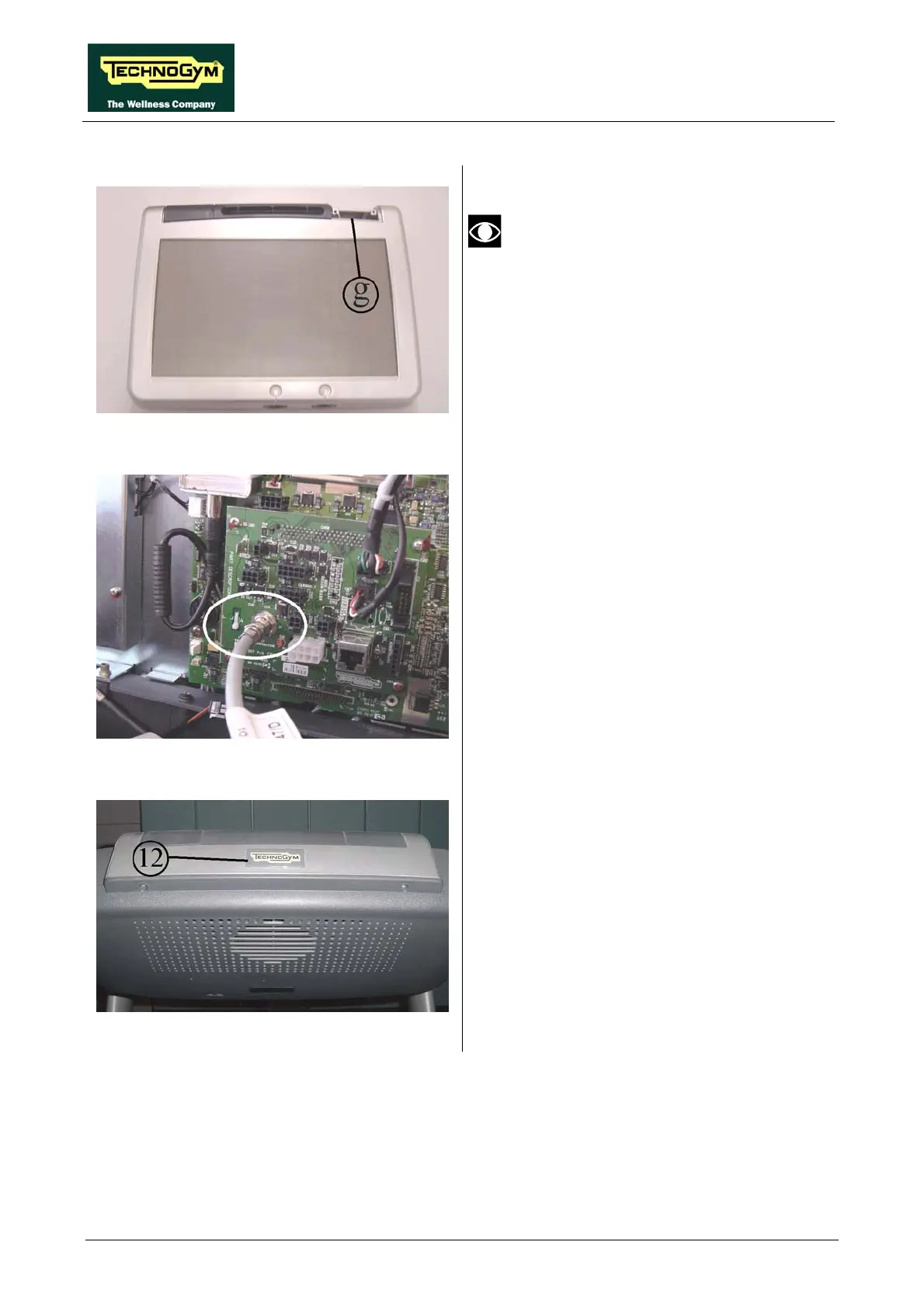
Figure 4.6-16
If the machine is equipped with a TGS
or Smart Card reader, disassemble it
from the old display and reassemble it
on the new one, inside compartment g.
If the machine is not equipped with a
reader, disassemble the cover from the
compartment and reassemble it on the
new display.
Figure 4.6-17
28. Connect TRM-47 to the LCD display,
plugging it into connector J1 of the connector
board, as illustrated in the figure.
29. Plug all remaining cables back into the
display.
Figure 4.6-18
30. Assemble the new display on the machine
and affix the Technogym logo sticker 12 on
top, as shown in the figure.
31. Turn on the machine and check that it is
working properly.
32. Perform the configuration and tuning
procedure for the Wellness TV.









 To Next Page