RUN EXCITE: Service & Maintenance Manual - rev. 1.5
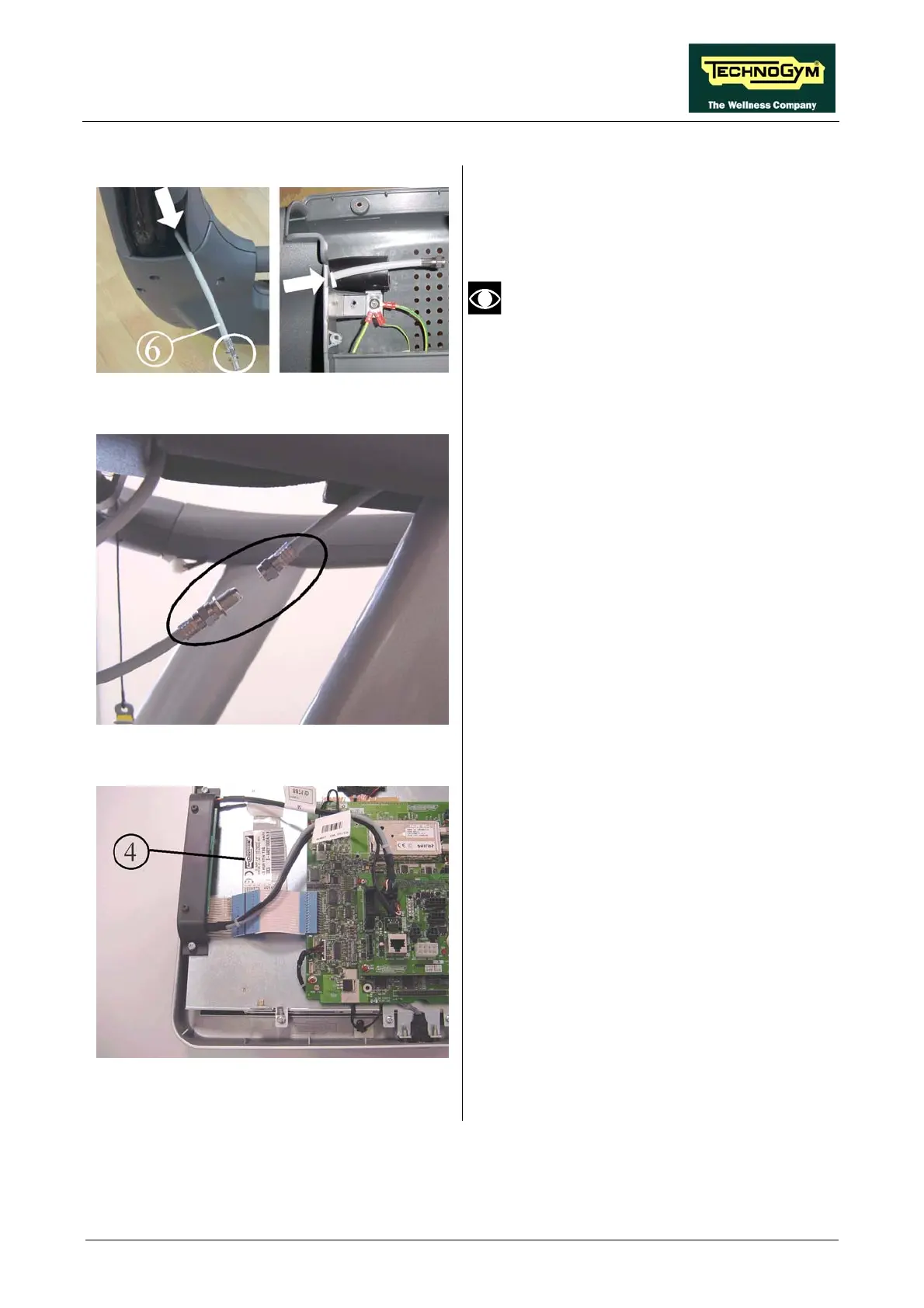
Figure 4.6-13
22. Insert cable 6, TRM-47, into the opening on
the lower left of the control panel, as
illustrated in the figure, until it comes out
inside the display compartment.
Cable 6 must be inserted in such a way
that the female connector remains
outside the control panel, to connect
with cable TRM-46 that comes out of the
column (see figure).
Figure 4.6-14
24.
25. Connect cables TRM-46 and TRM-47 shown
in the figure, at the top of the left column.
26. Finish reassembling the control panel,
carrying out the operations described in steps
2 and 3 in reverse order.
23. Reposition the control panel on the machine.
Re-connect the cables, previously unplugged
in point 4.
Figure 4.6-15
27. Affix one of the stickers 4 with the serial
number on the plate support of the
electronics boards of the 15-inch LCD
display.
Continued on following page →
Page 4.9









 To Next Page