STEP EXCITE: Service & maintenance manual - rev. 1.4
Page 7.9
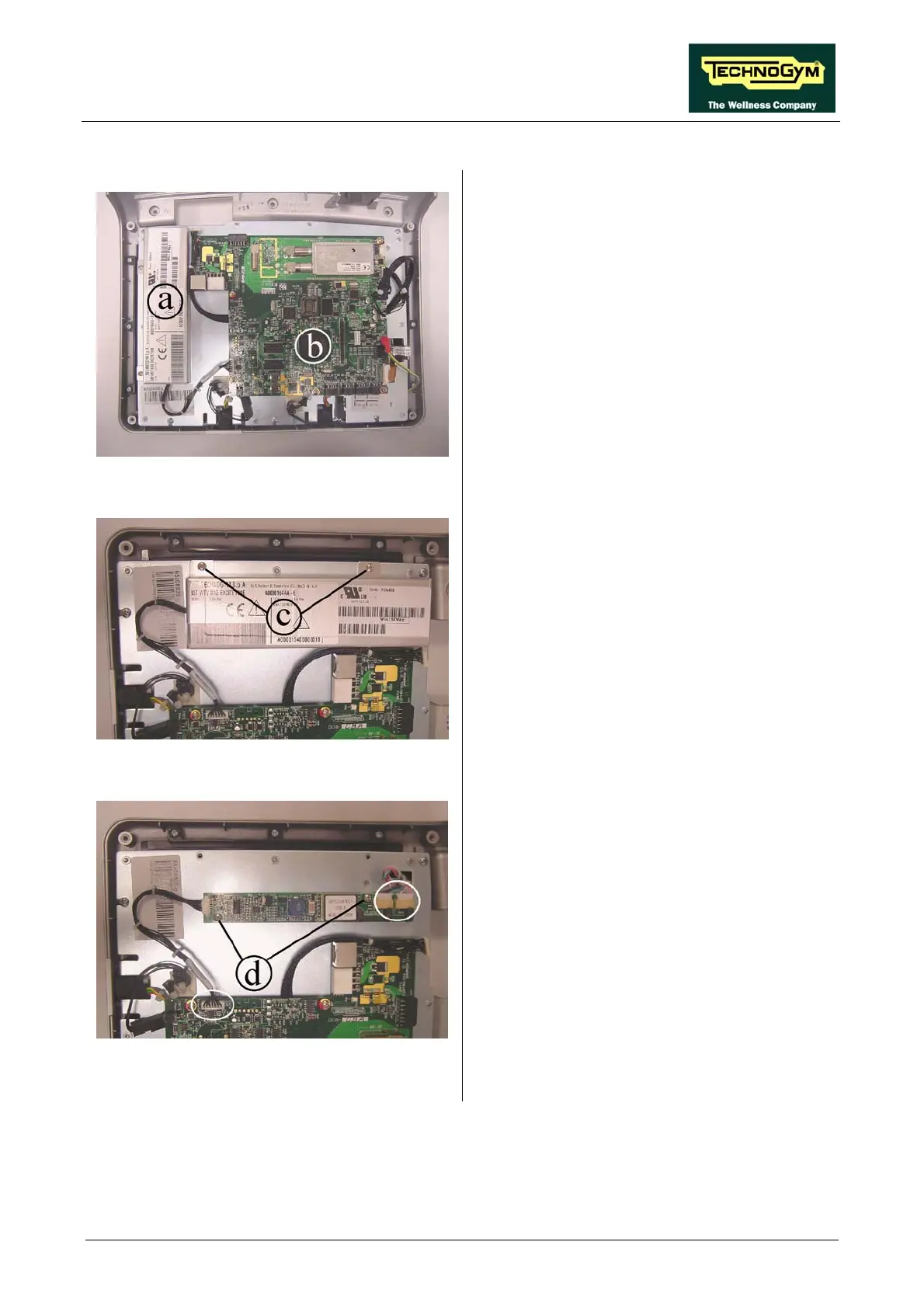
7.2.2.2. UB models
Figure 7.2-14
Carry out the procedure described in paragraph
7.1. “Disassembling the display”.
Then place the display on a work bench. It is
now possible to disassem
ble its circuit boards:
• The LCD inverter a;
• The CPU board b.
Figure 7.2-15
LCD inverter b:
1. Back off the two screws c using a Phillips
screwdriver.
2. Raise the inverter cover plate.
Figure 7.2-16
3. Unplug the connectors indicated in the
figure.
4. Back off the two screws d securing the board
to the plate of the display.
5. Remove the LCD inverter.
Continued on following page →














 To Next Page