Telephone Modem
92 Administrator Guide v 2.2 Thermo Scientific Smart-Vue
®
Wireless Monitoring Solution
18 Telephone
Modem
This section describes how to install the modem on your Smart-Vue Server
computer and configure it using the Smart-Vue Client software.
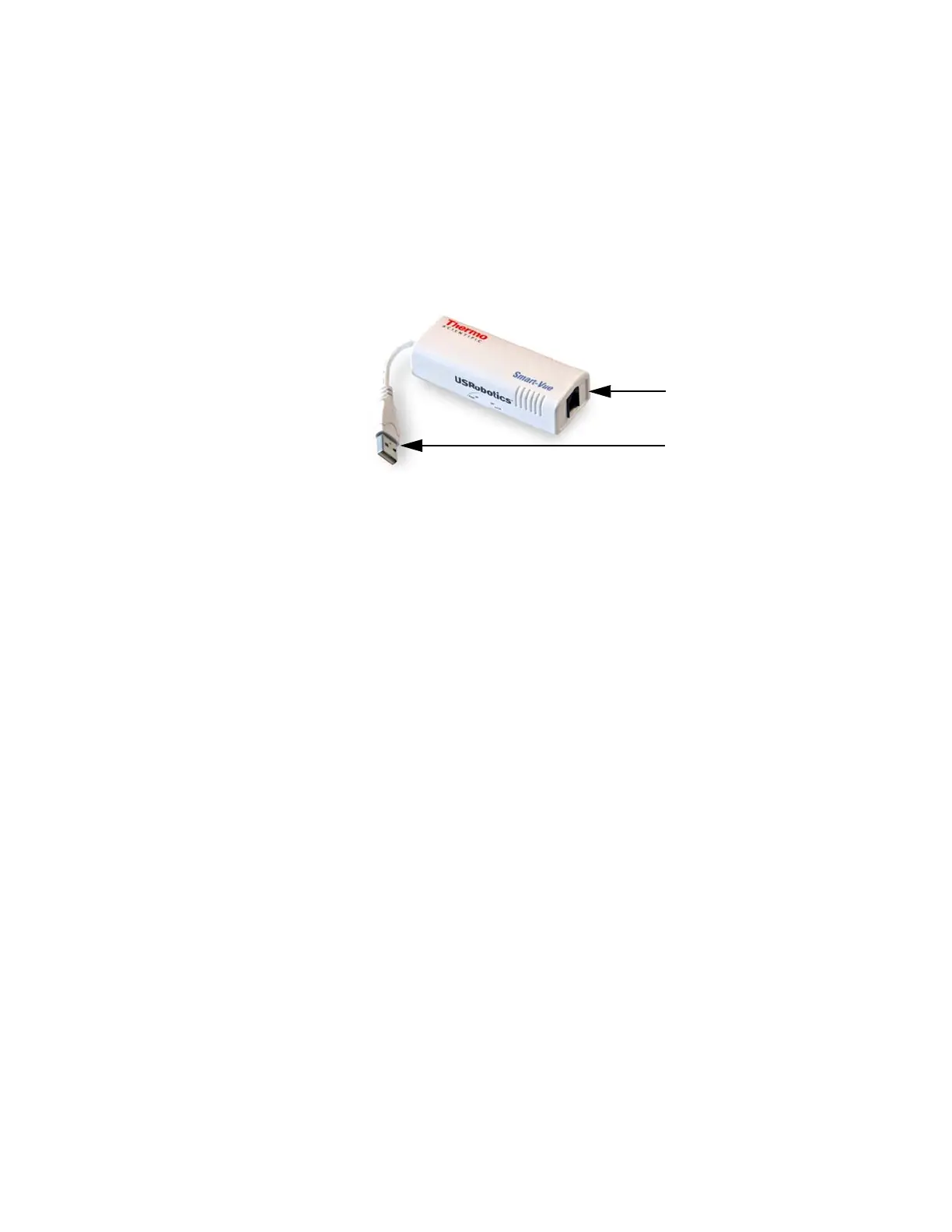
18.1 Product Overview Installed on your Smart-Vue Server computer, the Smart-Vue USB modem
is a key part of your Smart-Vue Alarm Management System. The modem is
connected to a dedicated phone line to notify users by voice or fax, in case
anomalies are detected by Smart-Vue wireless modules.
Figure 52. USB telephone modem optimized for the Smart-Vue solution
18.2 Package Contents • Smart-Vue USB modem (customized US Robotics OEM model)
• Telephone cable
• Smart-Vue installation CD-ROM
• Mounting kit with Velcro tape and cable ties
18.3 Modem
Specifications
• Data: V.92, V.90, V.34, V.32bis, V.32, V.22bis, V.22, V.23, V.21, Bell
212 A, V.8, V.8bis, Bell 103, and V.80 video conferencing support
• Data Error Control/Compression: V.42/V42bis, V.42 LAPM, V.44 and
MNP2-4/5
• Fax: EIA 578 (Class 1) with V.17, V.29, V.27ter, V.21, Group 3
• DTE interface: USB Version 2.0
• USB powered, consumption: 240 mA (typical)
• 2 LEDs: Power (PWR), Data (DATA)
• Phone line interface: One RJ-11 socket
Connects modem to your
telephone line
Connects modem to USB port on
your Smart-Vue Server computer


 To Next Page
 Loading...
