19. TOPOGRAPHY OBSERVATION
124
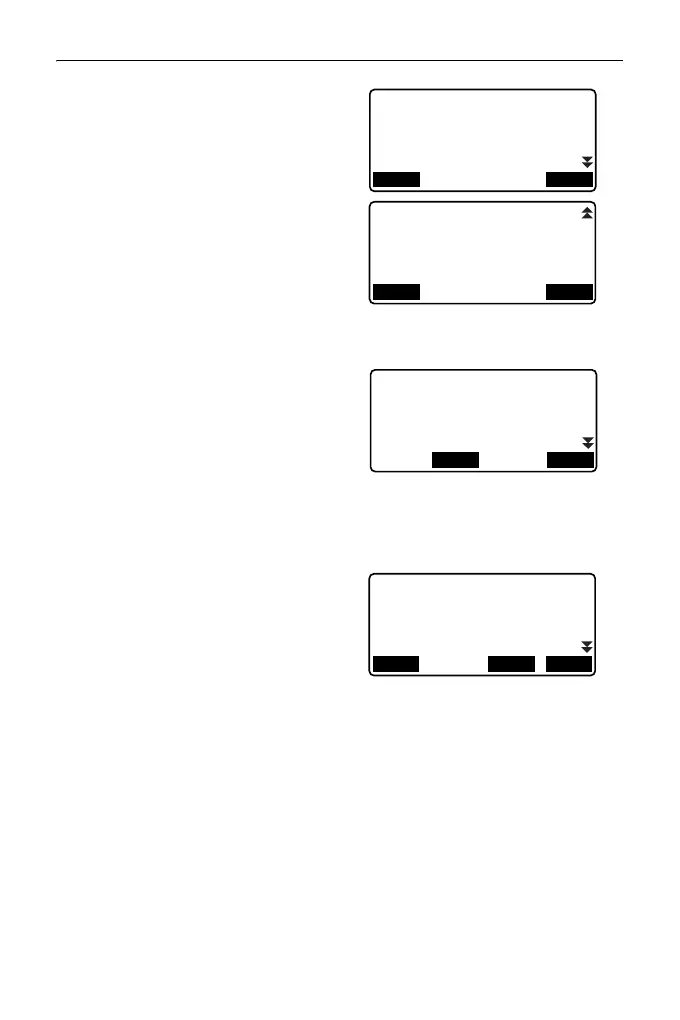
2. Set for topography observation.
Set the following items:
(1) Number of distance sets
(No. of SETs)
(2) Number of distance
readings (No. of Obs)
(3) RL observation (F1/F2 Obs)
(4) Pre-entered point
registration (PreenterPt)
(5) Backsight distance
measurement (BS Obs-Dist)
(6) Backsight distance check
(BS DistCheck)
•Press [PTTRN] to register the
combination of settings as a
pattern or to read the registered
patterns.
• Position the cursor and press
[REC] to register the currently-
set pattern.
3. Press [OK] to confirm the setting.
4. Enter the instrument station data.
Press [OK] to confirm the entered
data.
"28.1 Recording Instrument
Station Data"
•Press [RESEC] allows you to set
only the instrument station by
resection measurement.
"13.2 Setting Instrument
Station Coordinate with
resection measurement"
PTTRN: HOU2
No of SETs
No of Obs
F1/F2 Obs
PreenterPt
:1
:1
:No
:Yes
OK
PTTRN
BS Obs-Dist
BS HDistChec
:Yes
:Yes
OK
PTTRN
Select Obs pattern
01: HOU2
02: RL1
03:
04:
OKREC
N0:
E0:
Z0:
PT
HI
0.000
0.000
0.000
0.000m
OKLOAD
RESEC
T2



 To Next Page