127
19. TOPOGRAPHY OBSERVATION
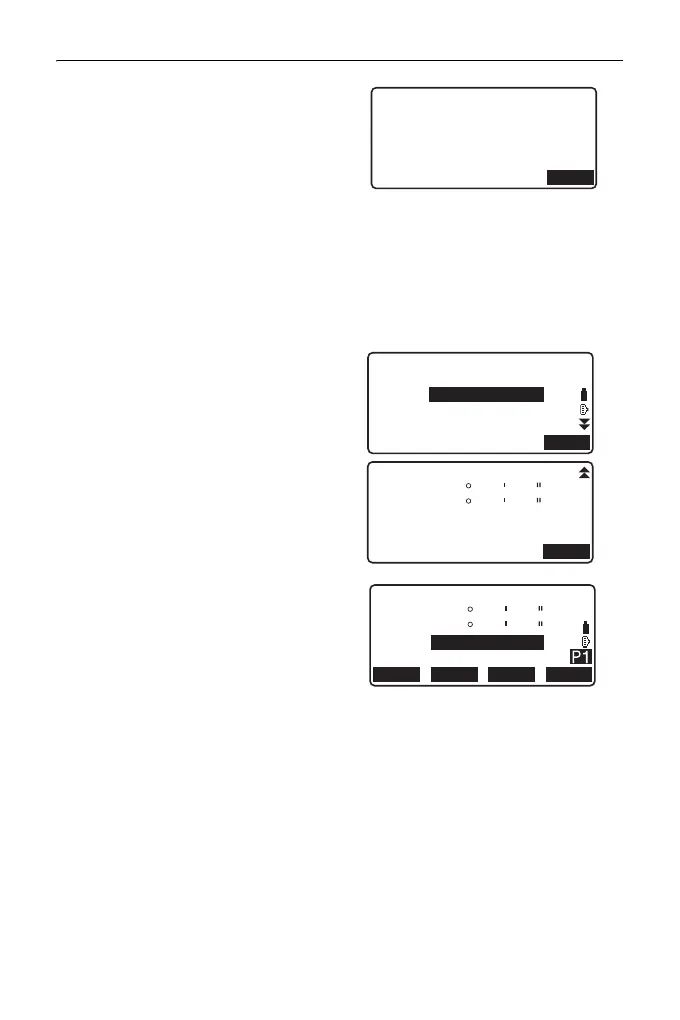
• If "Yes" is set for (6) Backsight
distance check (BS DistCheck),
the variance for horizontal
distance between the calculated
value and the measured value is
displayed after the
measurement of the first point
has been completed.
• Pressing {ESC} cancels the
topography observation after
checking is completed.
3. Record measured data.
If a target height and code have
not been set, enter the data here.
Press [OK] to save the data. The
screen for step 2 is displayed to
measure the next point.
During the measurement for the
second point and thereafter, if: (1)
Number of distance sets (No. of
SETs) is set to "1"; (2) Number of
distance readings (No. of Obs) is
set to "1"; and (3) RL observation
(F1/F2 Obs) is set to "No";
[OFFSET] is displayed. Pressing
[OFFSET] enables offset
measurement of the target point.
"20. OFFSET
MEASUREMENT"
Topography
BS HDistCheck
calc HD
Obs HD
dHD
15.000m
13.000m
2.000m
O K
Topography
PT AUTO0011
HR
CD
:
0.000 m
OK
Topography
123.456m
D=1
OK
SD
ZA
HA-R
89
0
59
10
59
00
Topography
D=1
ZA
HA-R
HR
PT
0.000m
AUTO0011
89
0
59
10
59
00
EDM MEAS
ANGLE
OFFSET



 To Next Page