159
24. TRAVERSE ADJUSTMENT
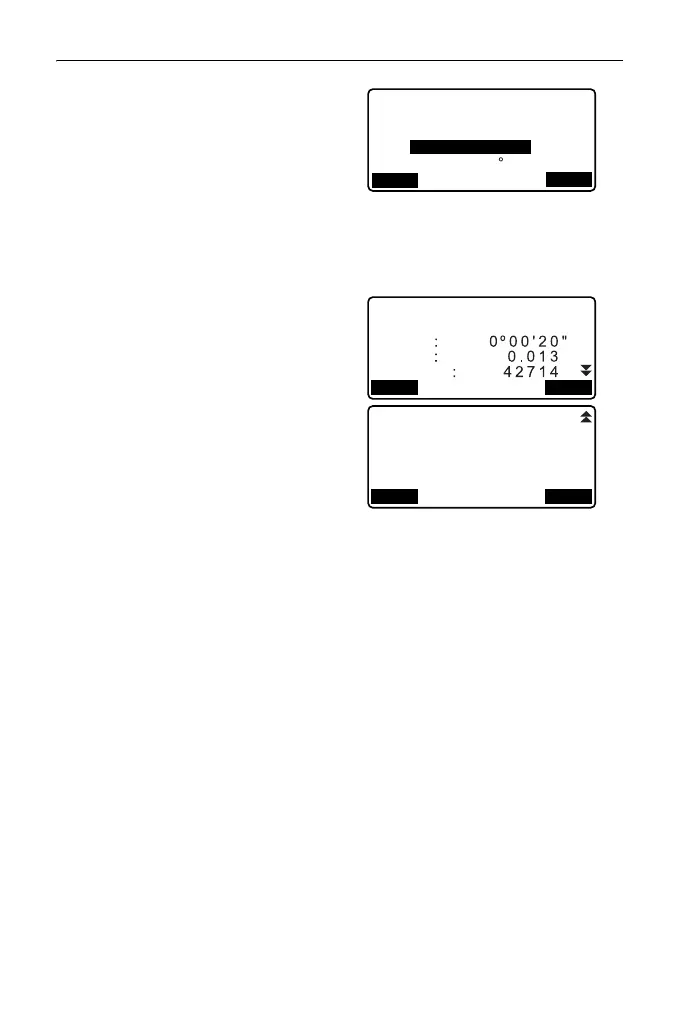
7. Enter the point name of the
backsight station for the end point
and press {ENT}.
The calculated azimuth angle is
displayed.
Enter the azimuth angle when
there are no recorded coordinates
for the end point backsight station.
8. When [OK] is pressed in the
screen in step 7, the ES will
display the precision of the
traverse.
d.Ang: Angular closure error
d.Dist: Horizontal closure
distance
Precision: Precision of the
traverse as a ratio of
the total horizontal
distance traversed to
the closure distance
d.North: Closure distance in
Northing coordinates
d.East: Closure distance in
Easting coordinates
d.Elev: Closure distance in
elevation
Traverse end pt.
Fs :T-0002
Occ:T-0001
Azmth:
OK
335 27’46"
LIST
Precision
Traverse precision
d.Ang
d.Dist
ADJUSTOPTION
Traverse precision
d.North
d.East
d.Elev
ADJUSTOPTION
: 0.013
: 0.000
: -0.002



 To Next Page