183
25. ROUTE SURVEYING
PROCEDURE
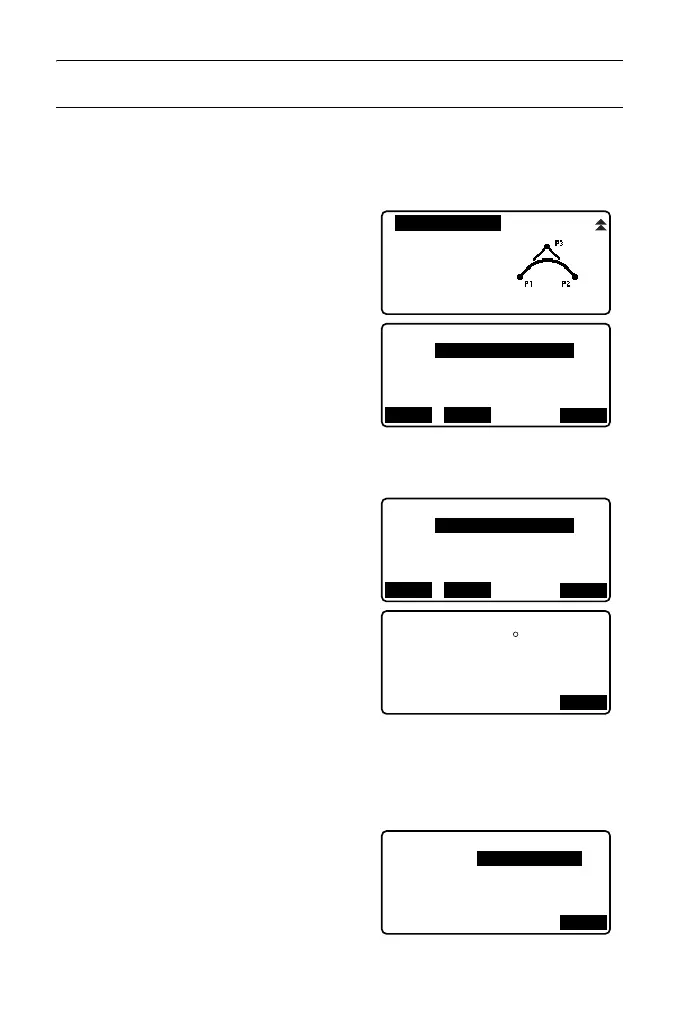
1. In the second page of the OBS mode
screen, press [MENU], then select
"Road".
2. Select "3PT Curve" to enter the 3 point
calculation menu.
3. Input the coordinates of the BP point
(reference point). Press [OK] to set
the input values.
4. Input the coordinates of the IP point,
then press [OK].
5. Input the coordinates of the EP point,
then press [OK].
6. The IA ang (intersection angle),
direction (of curve), BP-IP (BP-IP
length), and IP-EP (IP-EP length) are
calculated from the coordinates of the
three input points. The results are then
displayed on the screen.
Check the data, then press [OK].
• Press {ESC} to return to the previous
screen to make alterations to this
data.
7. Input curve properties: parameter A1,
parameter A2, curve radius, and St.
ofs (BP Point offset).
3PT Curve
IP&Tan
Alignment
EDM
Np:
LOAD REC
Ep:
3PT Curve/BP
100.000
OK
100.000
Np:
LOAD REC
Ep:
3PT Curve/EP
300.000
OK
100.000
OK
3PT Curve
BP-IP
IP-EP
141.421m
IA
Direct. Right
141.421m
90 00’00"
OK
3PT Curve
St. ofs
Radius
60.000m
0.000m
Para A1
50.000m
Para A2
50.000m



 To Next Page