25. ROUTE SURVEYING
190
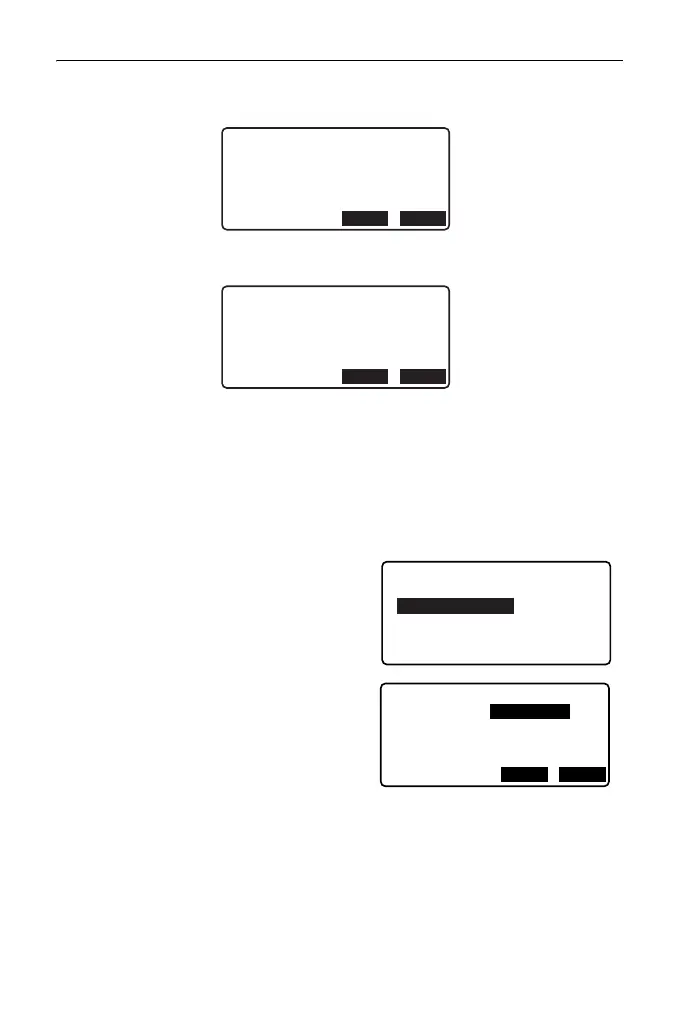
• If the element starting point is located before the BP, the distance between
those two points is displayed with minus (-).
• If the element ending point exceeds the EP, the distance between those two
points is displayed with plus (+).
Pressing [YES] continues the calculation, ignoring the overlap of the curves.
Pressing [NO] stops the calculation and return to the Input Element screen.
1. Input the IPs.
"25.8.1 Inputting IPs (Intersection
Points)"
2. Enter the Input Element screen.
Select "Input element".
3. Input the elements for the curve 1.
Input the parameter A1, parameter A2,
radius R, and offset (additional
distance for the BP: if the BP is located
before the route starting point, minus (-
) is accompanied) and press [OK].
• To set a dogleg, parameter A1 and
A2 should be "Null" and radius
should be 0.
-10mm
Curve overlap
Continue?
BP
-
Element1
YES NO
10mm
Curve overlap
Continue?
Element n
-
ED
YES NO
Input IP
Input element
Review element
Clear
Define elements
Element1
Para A1
Para A2 50.000m
Radius 60.000m
St. ofs 0.000m
50.000m
OKI P



 To Next Page