28. RECORDING DATA - TOPO MENU -
214
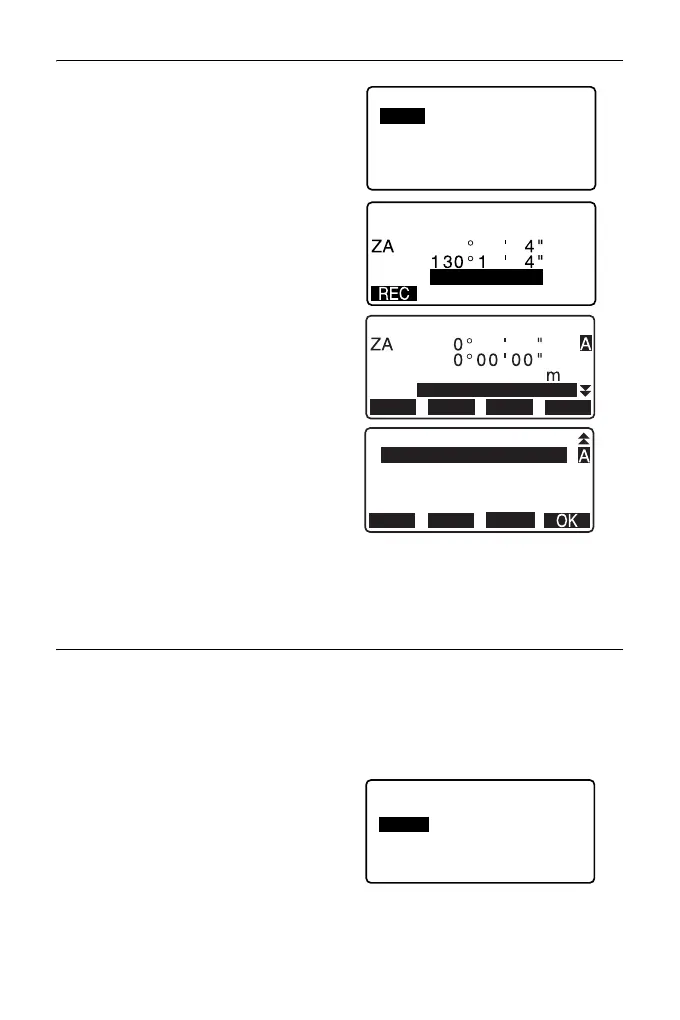
3. Select “Angle”.
Angle measurement values are
displayed in real time.
4. Input Azimuth angle.
5. Sight the backsight and press
[REC] in the screen of step 4, and
set the following items.
(1) Target height
(2) Point name
(3) Code
6. Press [OK] to record backsight
station data. RED (Reduced) data
and angle measurement data are
recorded at the same time.
<TOPO> is restored.
PROCEDURE Calculating azimuth angle by coordinates
1. Press [TOPO] in the third page of
OBS mode to display <TOPO>.
2. Select “BS data”.
3. Select “Coord”.
TOPO / Backsight
Angle
Coord
2
TOPO / Backsight
Take BS
90
3
2
1
3
HA-R
HA-R:
12
PT
934
0.000
HR
HA-R
OFFSET
REC
MEAS
AUTO
TOPO / Backsight
Angle
Coord



 To Next Page