215
28. RECORDING DATA - TOPO MENU -
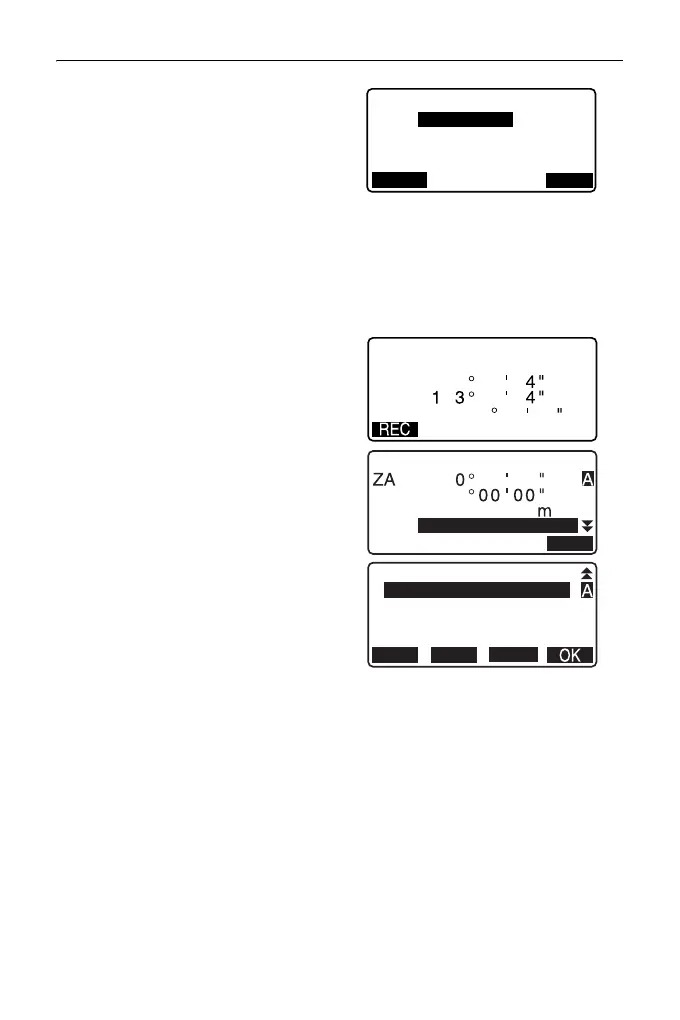
4. Input the backsight station
coordinates.
• When you wish to read in and set
coordinate data from memory,
press [LOAD].
"13.1 Entering Instrument
Station Data and Azimuth
Angle" PROCEDURE
Reading in Registered
Coordinate Data"
5. Press [OK] in the screen of step 4.
Angle measurement values are
displayed in real time. Calculated
Azimuth angle is also displayed.
6. Sight the backsight and press
[REC] in the screen of step 4, and
set the following items.
(1) Target height
(2) Point name
(3) Code
7. Press [OK] to record backsight
station data. Known point data
and angle measurement data are
recorded at the same time.
<TOPO> is restored.
NBS : 1.000
TOPO / Backsight
LOAD
OK
ZBS :
EBS :
1.000
<Null>
2
TOPO / Backsight
Take BS
90
3
2
1
3
2
1
45 00 00
Azmth
HA-R
ZA



 To Next Page