67
13. SETTING INSTRUMENT STATION
PROCEDURE Reading in Registered Coordinate Data
Known point data, coordinate data and instrument station data in the current JOB
and Coordinate Search JOB can be read in.
Confirm that the correct JOB containing the coordinates you want to read in is
already selected in Coordinate Search JOB in Data Mode.
"30.1 Registering/Deleting Known Point Data", "29.1 Selecting a JOB"
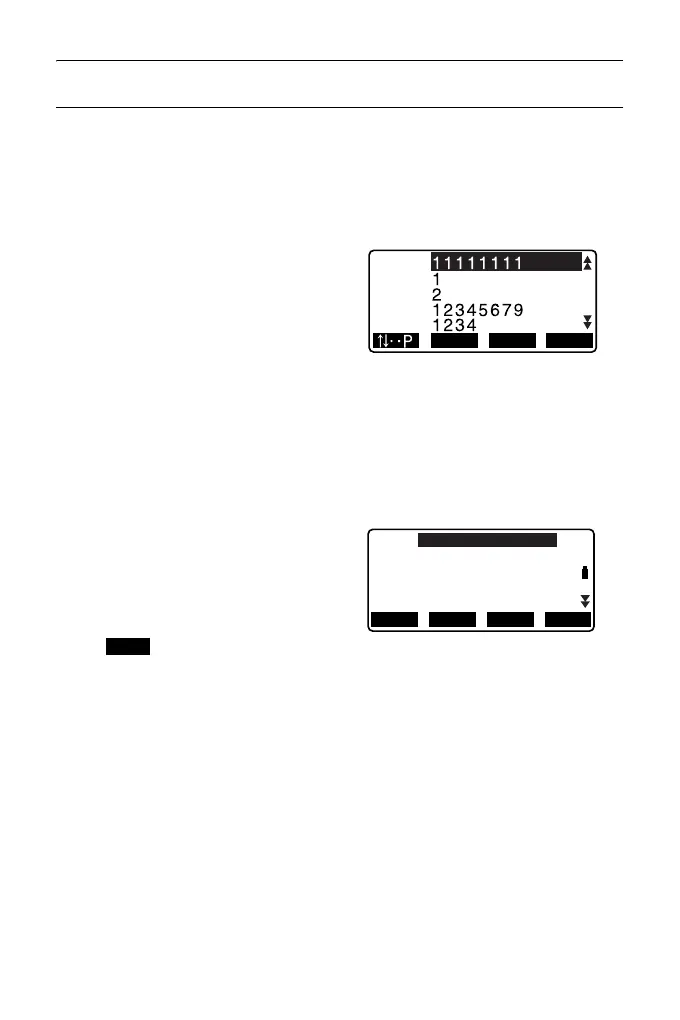
1. Press [LOAD] when setting
Instrument Station.
The list of registered coordinates is
displayed.
PT : Known point data
saved in the current
JOB or in the
Coordinate Search
JOB.
Crd./ Occ: Coordinate data saved
in the current JOB or in
the Coordinate Search
JOB.
2. Align the cursor with the required
point name and press {ENT}.
The point name that was read and
its coordinates are displayed.
• [] = Use {
}/{} to move
from page to page.
• [...P] = Use {
}/{} to select
individual point.
•Press [FIRST] to move to the
first point name on the first page.
•Press [LAST] to move to the last
point name on the last page.
•Press [SRCH] to move to the
“Coordinate Data Search
Screen.”
" 13.1.1 Setting Azimuth
Angle from Backsight
Coordinates"
0.000
LAST SRCHFIRST
PT
PT
Crd.
Occ
Occ
N0:
E0:
Z0:
PT
HI 1.200m
AUTO100000
0.000
0.000
<Null>
BS AZLOAD
BS NEZ
RESEC



 To Next Page