245
32. USING USB MEMORY DEVICE
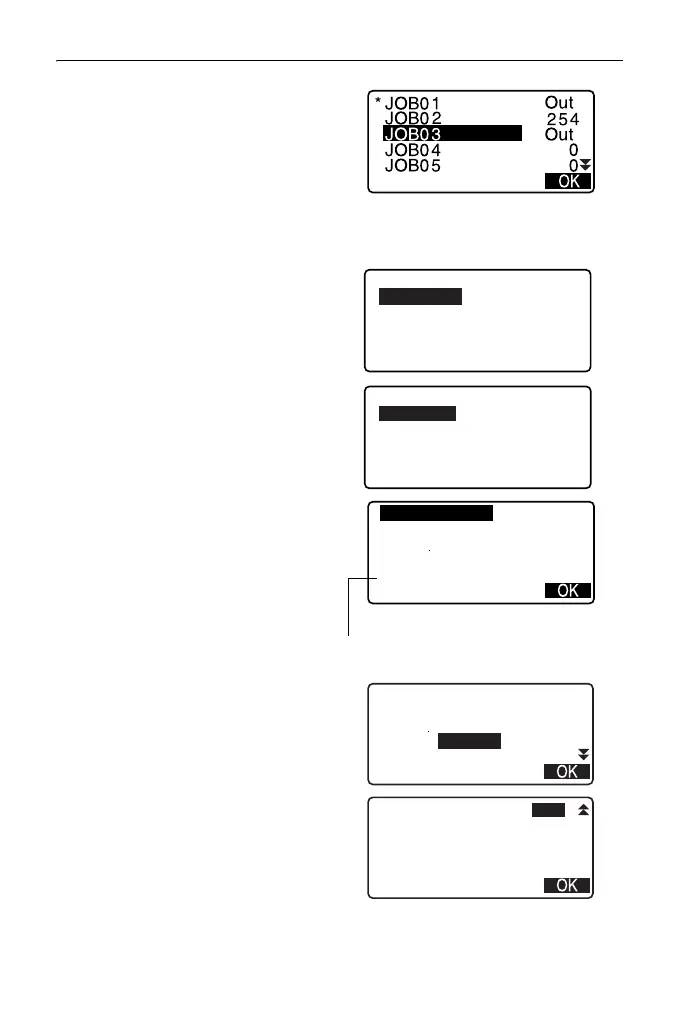
2. In the list of JOBs, select the JOB
to be recorded and press {ENT}.
"Out" is displayed to the right of
the selected JOB. Multiple JOBs
can be selected.
3. After selecting the JOB(s), press
[OK].
4. Select output format.
(When T type is selected)
5. Enter the file name. Press {ENT}
to set the data.
• File extension name can be
entered when T type is selected.
After entering file name, press
{ENT}/{
} to move the cursor to
the extension name.
6. Select output format.
(When S type is selected)
Align the cursor with "Format" to
select the output format.
• Selecting "Yes" for "Send RED
data" on the second page
outputs the horizontal distance
data converted from the slope
distance.
Save data
GTS(Obs)
GTS(Coord)
SSS(Obs)
SSS(Coord)
Save data
Obs data
Reduced data
Format:GTS(Obs)
Time
JOB01. raw
Date
: Jan/01/2012
: 08:00
123.4MB / 3.8GB
Remaining memory / Total memory size
Format:SDR33
Time
JOB01. SDR
Date
: Jan/01/2012
: 08:00
123.4MB / 3.8GB
Send RED data : Yes



 To Next Page