32. USING USB MEMORY DEVICE
246
7. Press [OK] to save the JOB to the
external memory media. After
saving a JOB, the screen returns
to the JOB list.
If {ESC} is pressed while data is
being recorded, data recording is
canceled.
• Maximum size of file name: 8 characters (alphanumeric) excluding the file
extension.
• Characters used to make File name: Alphabet (capital letters only), special
characters (-)
• Output format
T type: GTS (Obs), GTS (Coord), SSS (Obs), SSS (Coord)
S type: SDR33, SDR2x
• Maximum size of extension name: 3 characters (only when T type is selected)
• When a file is overwritten, the overwritten file is deleted.
PROCEDURE Code saving
• When saving the code, it is necessary to select "T type" in the communication
setting.
"33.1 Configuration -Config Mode-" Communication Setup
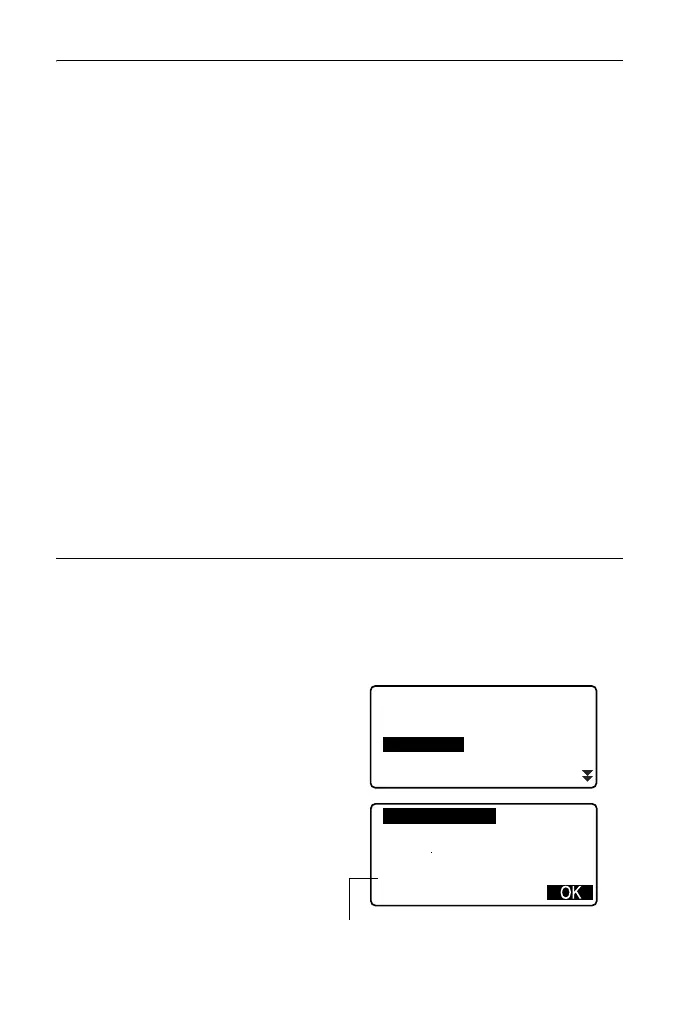
1. Select "Save code" on the first
page of the USB mode.
2. Specify a file name and press
{ENT}.
Entering extension name:
" PROCEDURE Data saving
step5"
USB
Save data
Load known PT
Save code
Load code
File status
Format:CODE
Time
COD01. TXT
Date
: Jan/01/2012
: 08:00
123.4MB / 3.8GB
Remaining memory / Total memory size



 To Next Page