33. CHANGING THE SETTINGS
258
Unit
Select “Unit” in Config mode
Items set and options (*: Factory setting)
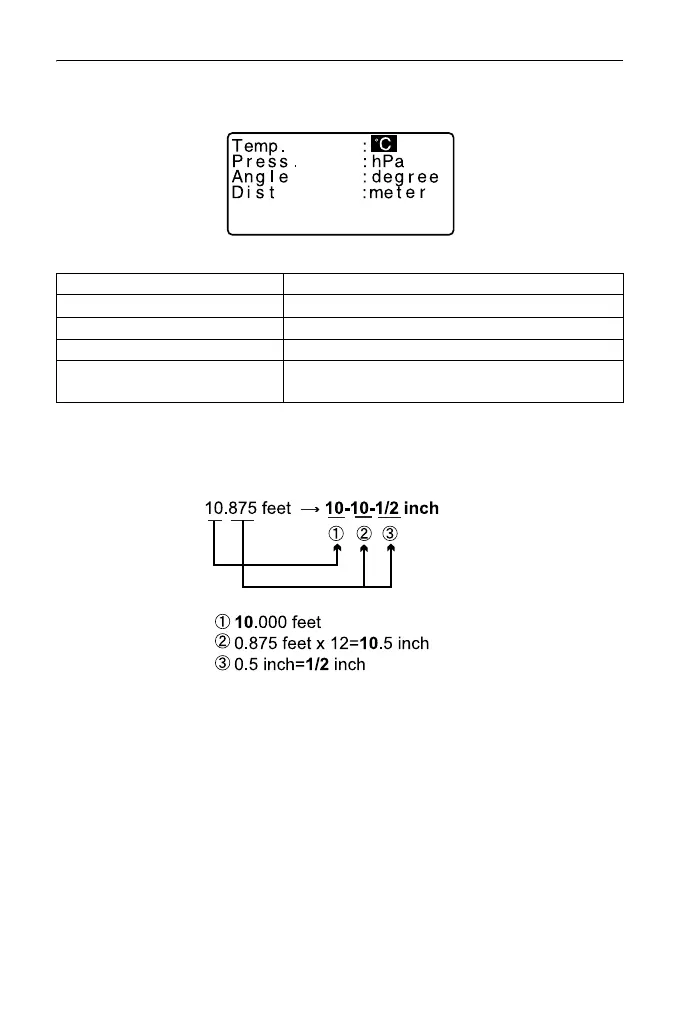
Inch (Fraction of an inch)
“Fraction of an inch” is the unit used in the United States and expressed like
the following example.
• Even if “inch” is selected in this setting, all the data including the result of area
calculation are output in “feet” and all the distance values must be input in “feet”.
In addition, when the “inch” display exceeds the range, it is displayed in “feet”.
International feet and US survey feet
The ES can display feet values in International feet and US survey feet
units.
International feet, the standard feet units, are referred to simply as “feet”
elsewhere in this manual.
US survey feet are units used in surveys by the U.S. Coast and Geodetic
Survey and are referred to as “US feet” in this manual.
Temp. (Temperature) °C*, °F
Press hPa*, mmHg, inchHg
Angle degree*, gon, mil
Dist meter*, feet, inch
Feet (only displayed when
"feet" or "inch" selected above)
Int. feet*
US feet
(1m = 3.280839895),
(1m = 3.280833333)



 To Next Page