41
10. CONNECTING TO EXTERNAL DEVICES
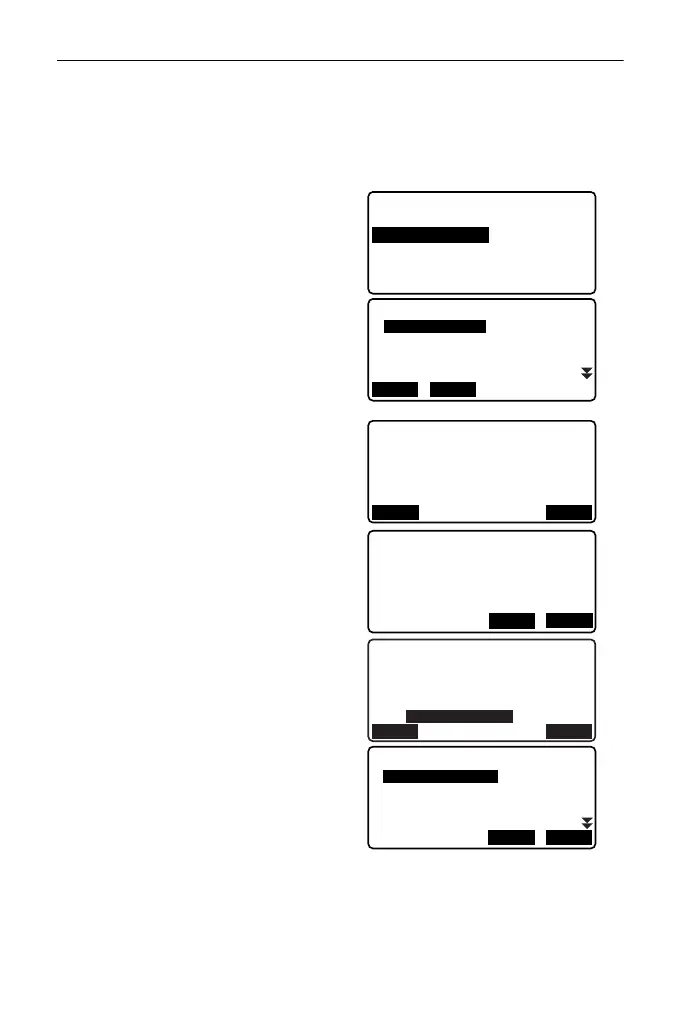
2. Select "Comms setup" in Config
mode.
3. Set "Wireless" to "Yes".
4. Select "Link device list".
Bluetooth device list is displayed.
(Default device names are
displayed when ES was shipped).
5. Select a registration destination
for your Bluetooth device.
Select a device name and press
[EDIT] to update related
information.
• Select a device and press
{ENT} to show details.
Press [PREV]/[NEXT] to display
details of the previous/next
device.
•Press [DEL] to delete
information for the selected
device.
6. Input "Name" (device name).
Align the cursor with "BD ADDR"
(address) and press [SEARCH] to
inquire about devices in the
immediate vicinity.
Select an address from the list of
devices discovered and press
[OK]. The address is displayed
"BD ADDR". (If ES cannot find any
devices within 30 sec., the inquiry
will be canceled.)
Wireless
: Yes
Bluetooth setup
My device info
Link device list
DEVICE1
Link device list
DEVICE2
DEVICE3
DEVICE4
DEL
EDIT
Device (Details)
Name:
DEVICE2
BD_ADDR:
0123456789AB
PREV NEXT
YES
DEVICE1
deletion
Confirm?
No
NO
Device registration
Name:
DEVICE1
BD_ADDR:
REG
SEARCH
Inquiry...
0123456789AB
123456789ABC
23456789ABCD
3456789ABCDE
OK
STOP



 To Next Page