13. SETTING INSTRUMENT STATION
70
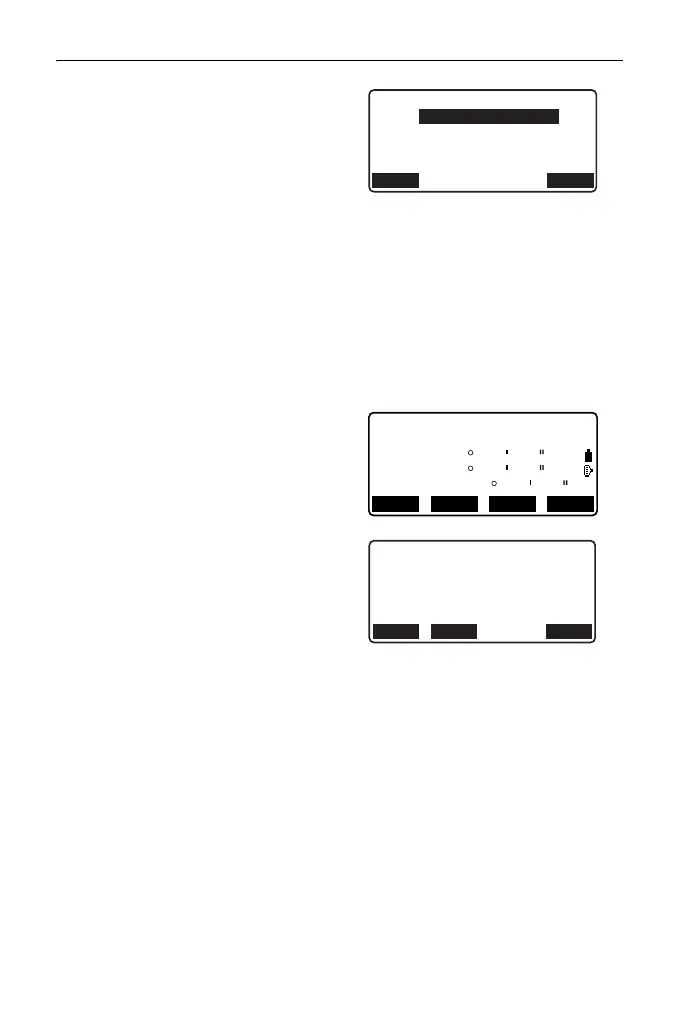
2. Press [BS NEZ] after entering the
instrument station data to enter a
backsight point coordinate.
• When you wish to read in the
registered coordinate data,
press [LOAD].
""13.1 Entering Instrument
Station Data and Azimuth
Angle" PROCEDURE
Reading in Registered
Coordinate Data"
3. Input the backsight station
coordinates and press [OK].
4. The backsight angle is displayed
in "Azmth". Press [YES], set an
azimuth angle and return to
<Coord>.
• Pressing [NO] returns to the
step 2 screen.
• Pressing [MEAS] after
collimating the backsight point
initiates measurement. When
measuring is completed, the
backsight distance check screen
is displayed. The difference
between the calculated value
and the measured height
distance value is displayed.
After confirming, press [OK].
•Press [HT] to set instrument and
target height.
•Press [REC] to store check data
in the current JOB
NBS:
Backsight
EBS:
ZBS:
100.000
100.000
<Null>
LOAD OK
Backsight
Take BS
Azmth
ZA
HA-R
89
117
59
32
55
20
45 00 00
MEASREC NO YES
BS Hdist check
calc HD
obs HD
dHD
HTREC OK
15.000m
13.000m
2.000m



 To Next Page