13. SETTING INSTRUMENT STATION
74
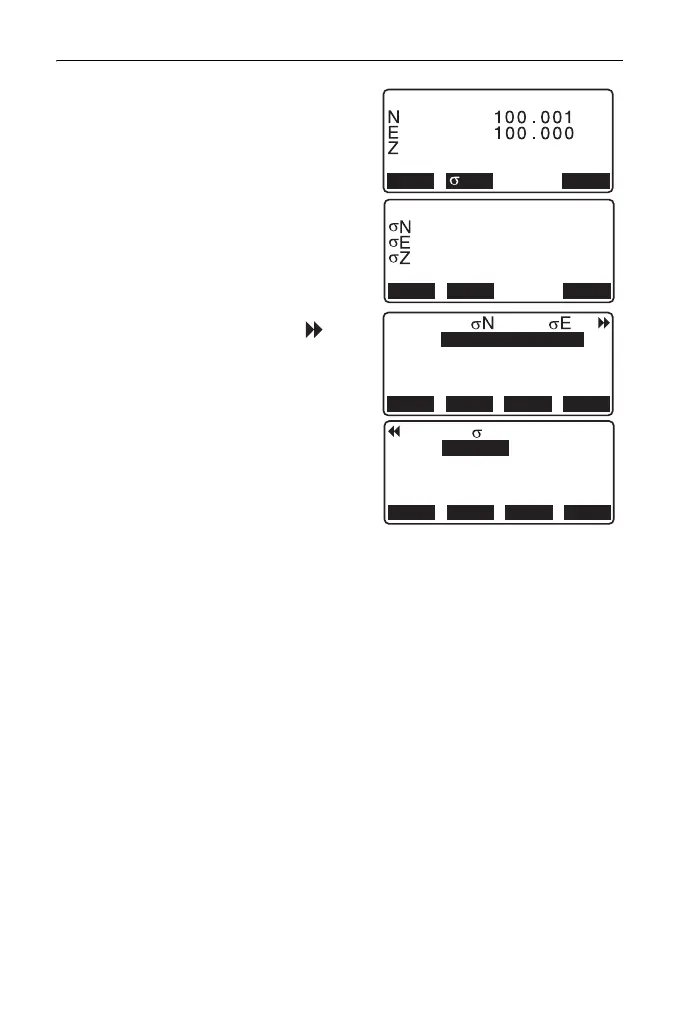
•Press [σNEZ] to display standard
deviation which describes the
measurement accuracy. Press
[NEZ] to return to the instrument
station coordinate screen.
• σZ can be displayed by pressing
{}
in the result screen in which is
displayed.
• Choices of the setting are as follows (*is the default setting):
•RL observation: Yes / No *
•Display σZ: On* / Off
9.999
RESULT NEZ
OK
0.0022m
0.0007m
0.0014m
RESULT NEZ
OK
1st
2nd
3rd
-0.001 0.001
-0.001 0.001
0.005 0.010
RE_CALC
OMIT
RE_MEAS
ADD
1st
2nd
3rd
-0.001
-0.003
0.005
RE_CALC
OMIT
RE_MEAS
ADD
Z



 To Next Page