79
13. SETTING INSTRUMENT STATION
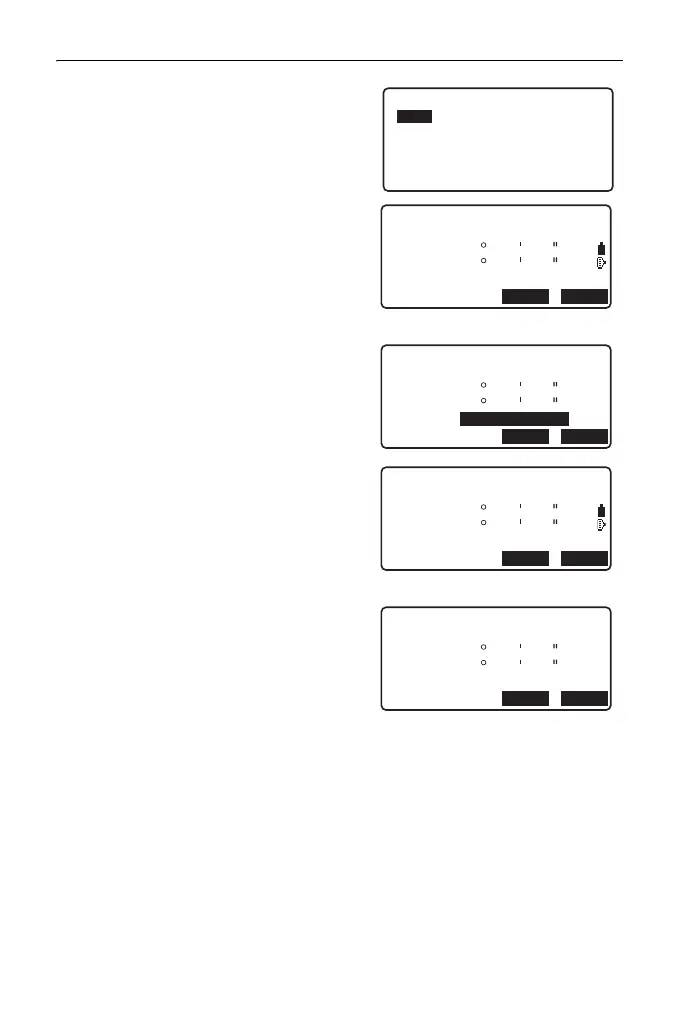
3. Select "NEZ".
4. Measure the first known point in Face
1.
"R" is displayed in the screen title.
Press [MEAS] to start measuring. The
measurement results are displayed on
the screen.
5. Press [Yes] to use the measurement
results of the first known point in Face
1.
• You can input target height here.
6. Measure the first known point in Face
2.
"L" is displayed in the screen title.
Press [MEAS] to start measuring. The
measurement results are displayed on
the screen.
7. Press [Yes] to use the measurement
results of the first known point in Face
2.
Resection.
NEZ
Elevation
Setting
Resection 1st R
SD
ZA
HA-R
80
120
30
10
10
00
MEAS
ANGLE
Resection 1st R
HR
525.450m
SD
ZA
HA-R
80
120
30
10
10
00
YESNO
1.400m
Resection 1st L
SD
ZA
HA-R
80
120
30
10
10
00
MEAS
ANGLE
Resection 1st L
HR
525.450m
SD
ZA
HA-R
80
120
30
10
10
00
YESNO
1.400m



 To Next Page