81
13. SETTING INSTRUMENT STATION
13.2.4 Height Resection Measurement
Only Z (height) of an instrument station is determined by the measurement.
• Known points must be measured by distance measurement only.
• Between 1 and 10 known points can be measured.
PROCEDURE
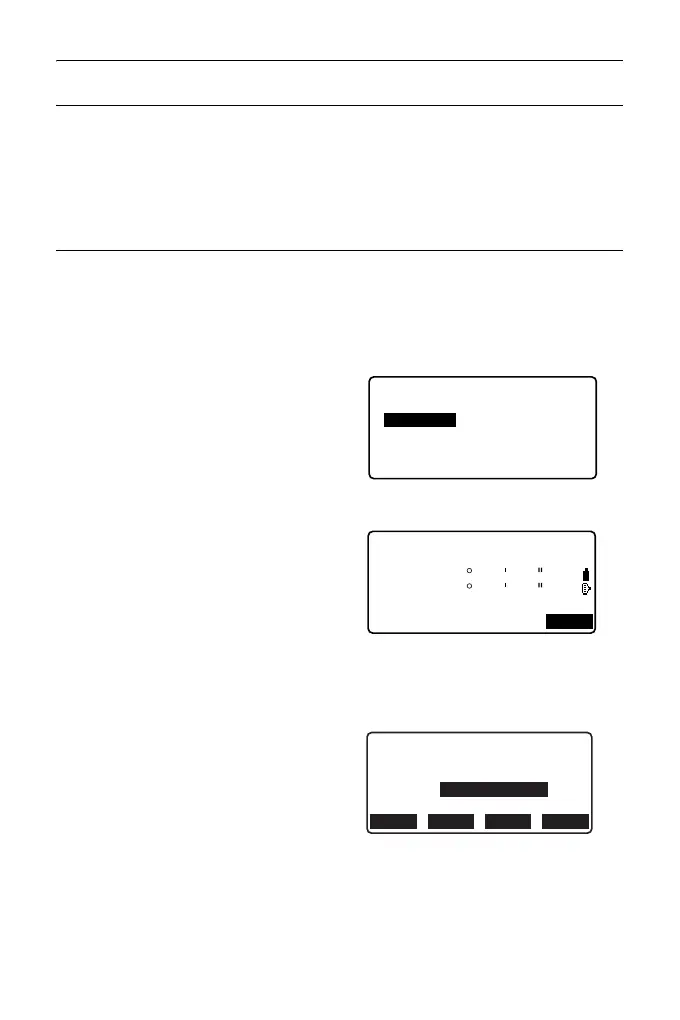
1. Select "Occ.orien." from the
coordinate measurement menu.
2. Press [RESEC] in the "Occ.orien."
3. Select “Elevation”.
• The tilt screen is displayed if the
instrument is out of level.
Level the instrument.
"7.2 Levelling"
4. Sight the first known point and
press [MEAS] to begin
measurement. Press [STOP].
The measurement results are
displayed on the screen.
5. Press [YES] to use the
measurement results of the first
known point.
6. Input the known point. After
setting the elevation for the first
known point, press [NEXT] to
move to the second point.
Resection.
NEZ
Setting
Elevation
Resection 1st PT
SD
ZA
HA-R
80
140
42
49
15
15
MEAS
1st PT
Zp:
HR
0.100m
11.891
RECLOAD NEXT CALC



 To Next Page