70
PREPARATIONS
SETTING THE DATE AND TIME
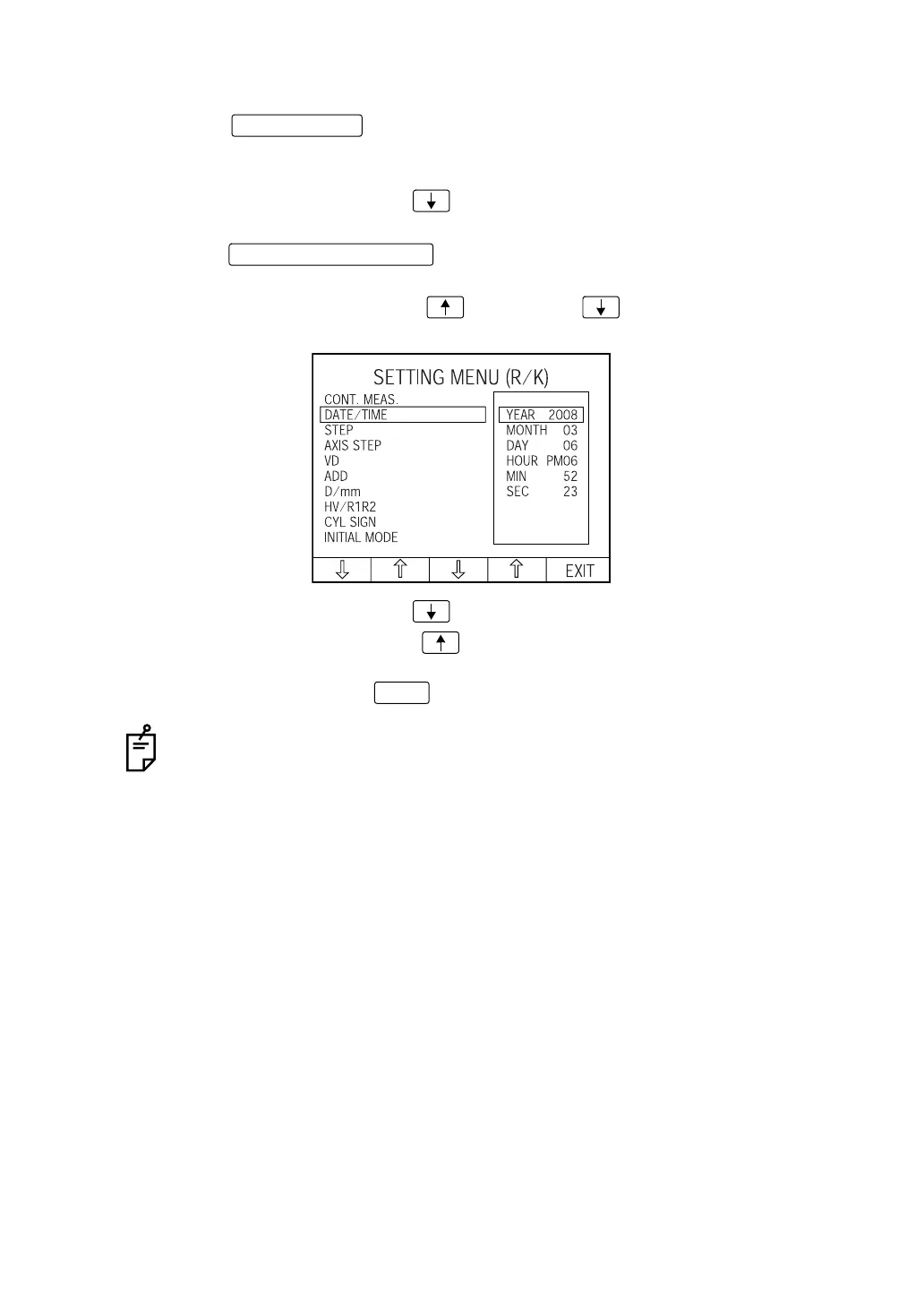
1 Press the of the control panel and get the "SETTING MENU (R/K)
screen." "CONT. MEAS." is highlighted, and "ON" and "OFF" are displayed on the right.
The cursor shows the set content.
2 Press the Set item change button and bring the cursor to "DATE/TIME."
The date/time is displayed on the right.
3 Press the and highlight the desired item (year, month, date,
hour, minute, second).
Press the Set value change button (increase) or (decrease) as changing fig-
ures.
4 Press the Set item change button ; the cursor moves to the next item (D/MM).
Press the Set item change button ; the cursor moves to the previous item (CONT.
MEAS).
5 To exit from the menu, press and return to the MEASUREMENT screen.
Setting of "DATE/TIME" can also be done on the "SETTING MENU (T/P) screen."
MENU button
MEASUREMENT switch
EXIT














 To Next Page