82
PREPARATIONS
SETTING THE AVERAGE VALUE OF OCULAR PRESSURE MEASUREMENTS
The display format of average value of ocular pressure measurements displayed on the moni-
tor screen can be selected from INT (integer) or REAL (to tenth). Before shipment, it is set to
"INT" (integer).
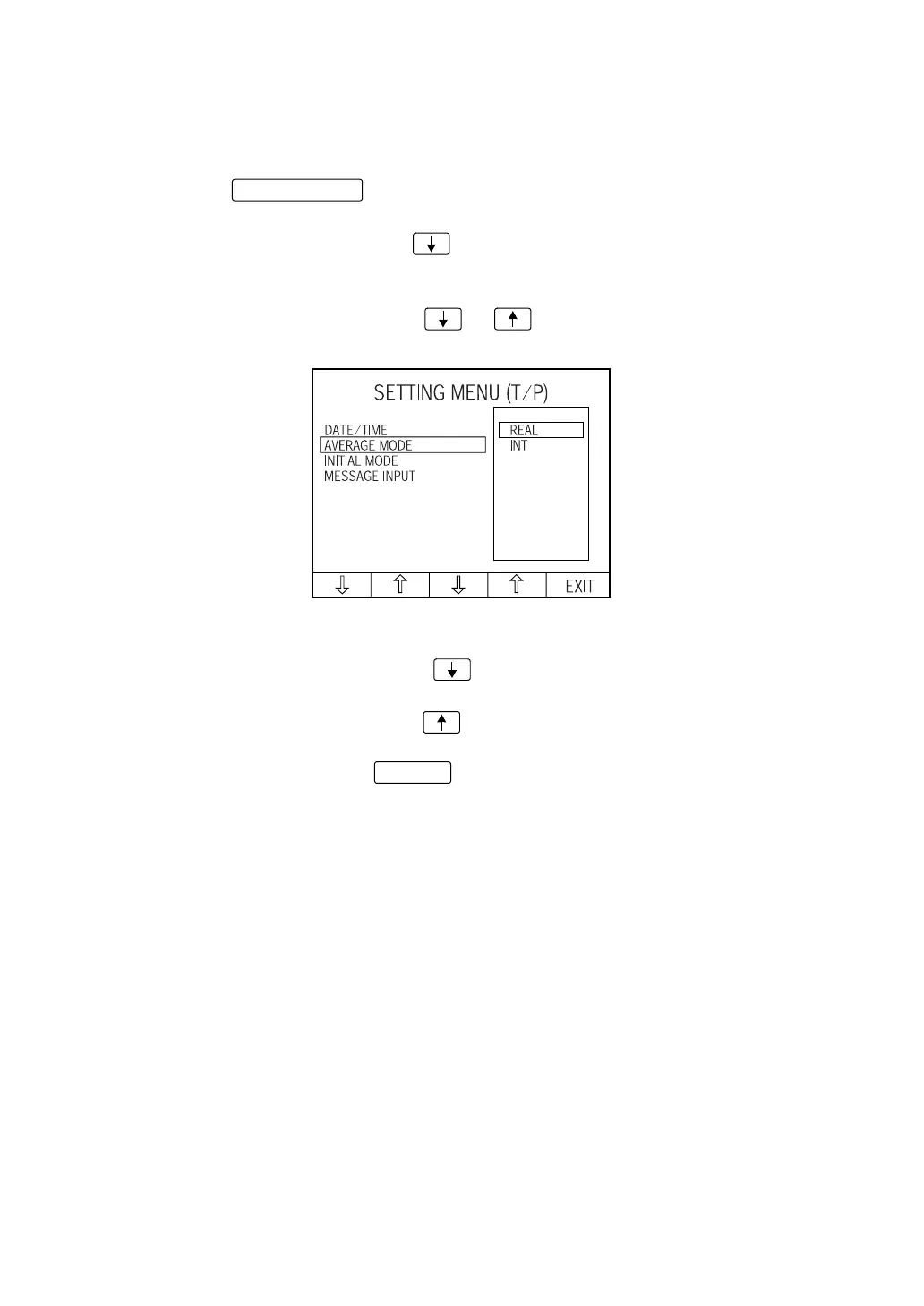
1 Press the of the control panel and get the "SETTING MENU (T/P)
screen." "DATE/TIME" is highlighted, and date/time is displayed on the right.
2 Press the Set item change button and bring the cursor to "AVERAGE MODE."
The display format of average value of ocular pressure measurements is displayed on the
right.
3 Press the Set value change button or and bring the cursor to the desired for-
mat of average value of ocular pressure measurements.
REAL : The average value of measurements is decimal-displayed.
INT : The average value of measurements is integer-displayed.
4 Press the Set item change button ; the cursor moves to the next item (INITIAL
MODE).
Press the Set item change button ; the cursor moves to the previous item (DATE/
TIME).
5 To exit from the menu, press and return to the MEASUREMENT screen.
MENU button
EXIT














 To Next Page