Chapter 3: System Installation 00.053.129, Revision C SonixTablet Service Manual
3-10
3.3.2 Powering the System
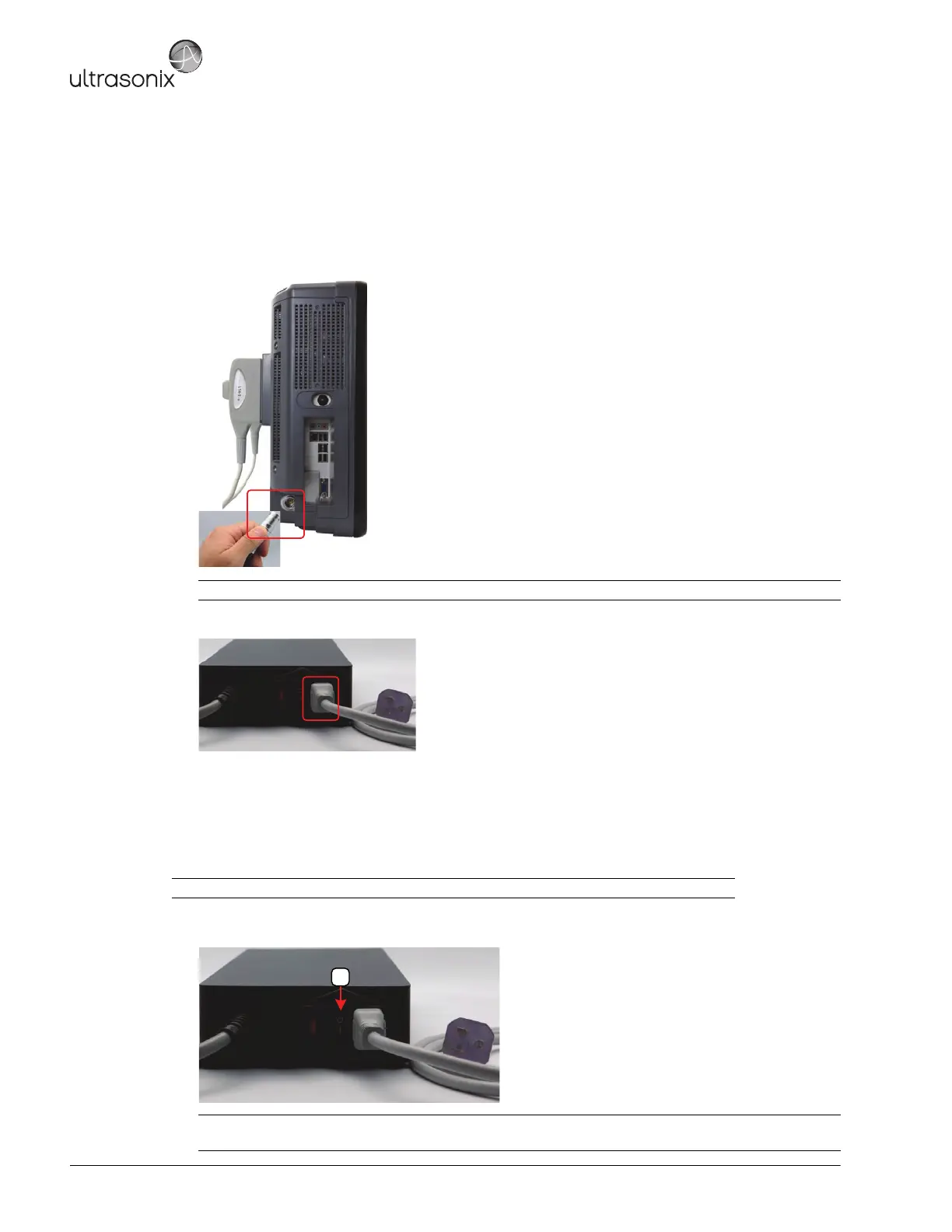
Before turning the system on, connect the power cords.
To Connect the Power Cords:
1. Connect the power cord from the power pack to the system.
2. Connect the system power cord to the power pack.
3. Plug the power cord into a wall outlet (hospital-grade electrical outlet recommended).
3.3.2.1 Turning on Main Power Switch
To Turn on Main Power Switch:
1. Press the Main Power switch on the back of the Power Pack.
Note: Push the connector on firmly, ensuring the red dot on the power connector faces upwards.
Note: Ensure the power cords are connected.
Caution: DO NOT use Main Power switch for regular power shut downs. Failure to follow the correct
procedure may result in loss of patient data and/or hard drive failure.



 To Next Page