SonixTablet Service Manual 00.053.129, Revision C Chapter 11: Maintenance
11-5
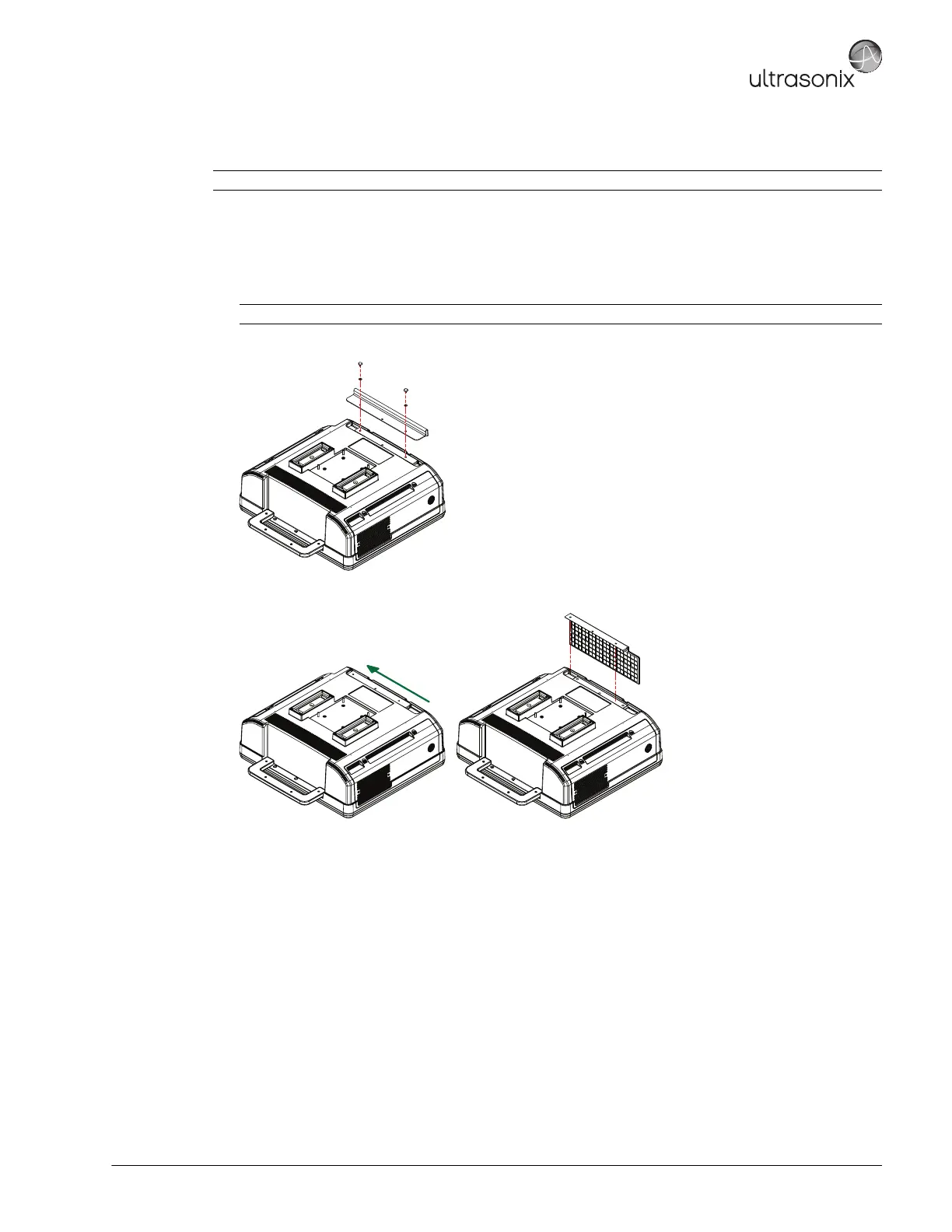
11.2.7.1 Cleaning the System Filter
To Clean the System Filter:
1. Power off and unplug the system.
2. Using a soft towel or bubble wrap to protect the LCD display/touch screen, gently tip the system flat.
3. Unscrew the two (2) thumbscrews and washers.
4. Push the filter forward (following the directional arrow label) then lift up.
5. Vacuum thoroughly and gently reinstall the filter.
6. Plug in and power on the system.
Note: For additional views, refer to Service Drawing: System Filter Removal/Replacement.
Note: Ensure the surface used is steady and secure.



 To Next Page