SonixTablet Service Manual 00.053.129, Revision C Chapter 8: DICOM
8-9
8.1.3 DICOM Print Settings
DICOM Print Settings offer basic and advanced settings for configuring the system for DICOM Print.
To Configure DICOM Print Settings:
1. Tap the touch screen button.
2. Select Administrator > DICOM > Print.
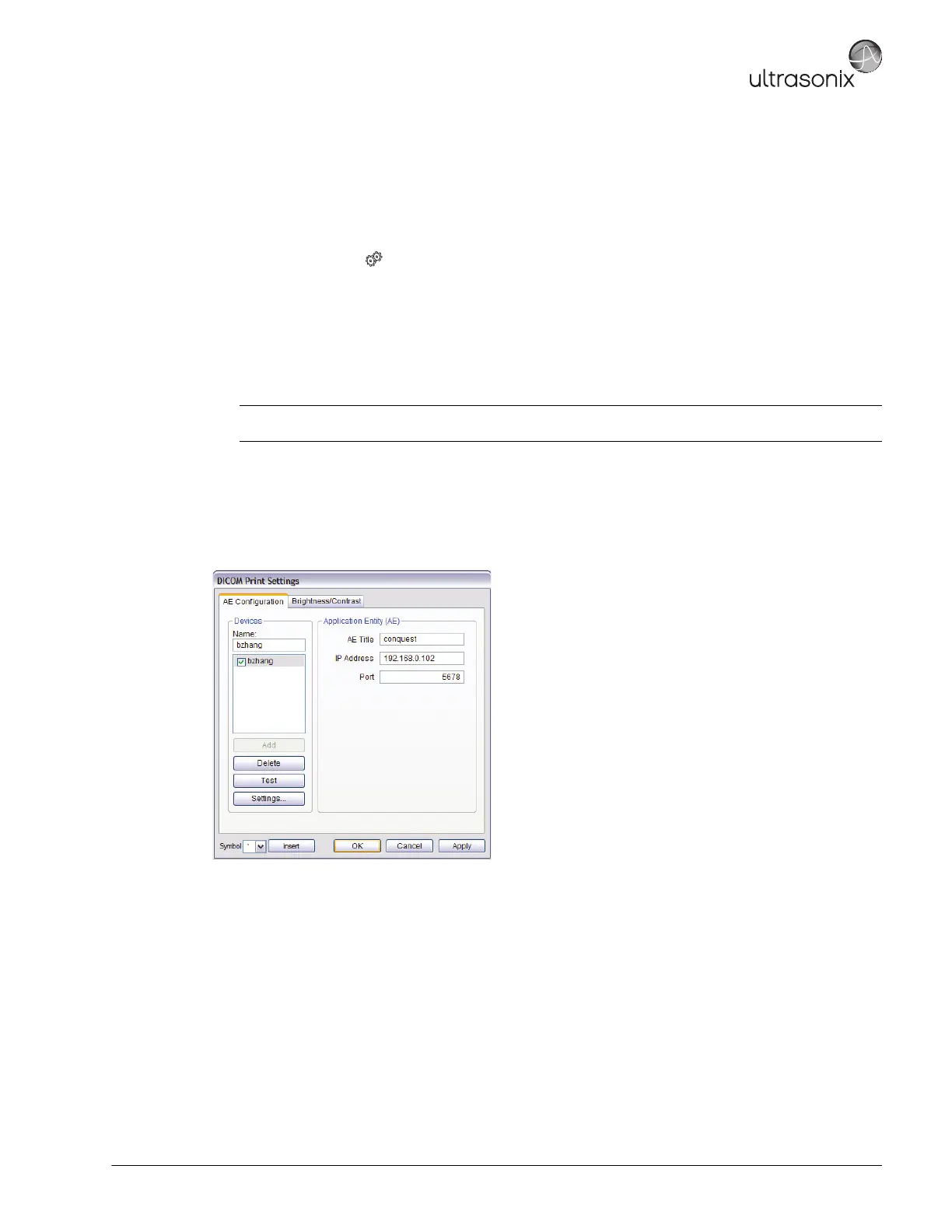
3. An onscreen dialog with two (2) tabs will be presented: AE Configuration and Brightness/Contrast.
4. Create/select a Device Name. Edit the Application Entity (AE) settings for the selected Device.
5. Repeat step 4 as many times as required.
6. Configure Print Settings, Advanced Print Settings and Brightness/Contrast as required.
The DICOM Print AE Configuration dialog enables configuration of AE properties.
Figure 8-8: DICOM Print Settings – AE Configuration
Note: In addition to the two (2) tabbed settings options, select the Settings... button to access Print Settings
and Advanced Print Settings.



 To Next Page