SonixTablet Service Manual 00.053.129, Revision C Chapter 9: Network Configuration
9-1
CHAPTER 9: NETWORK CONFIGURATION
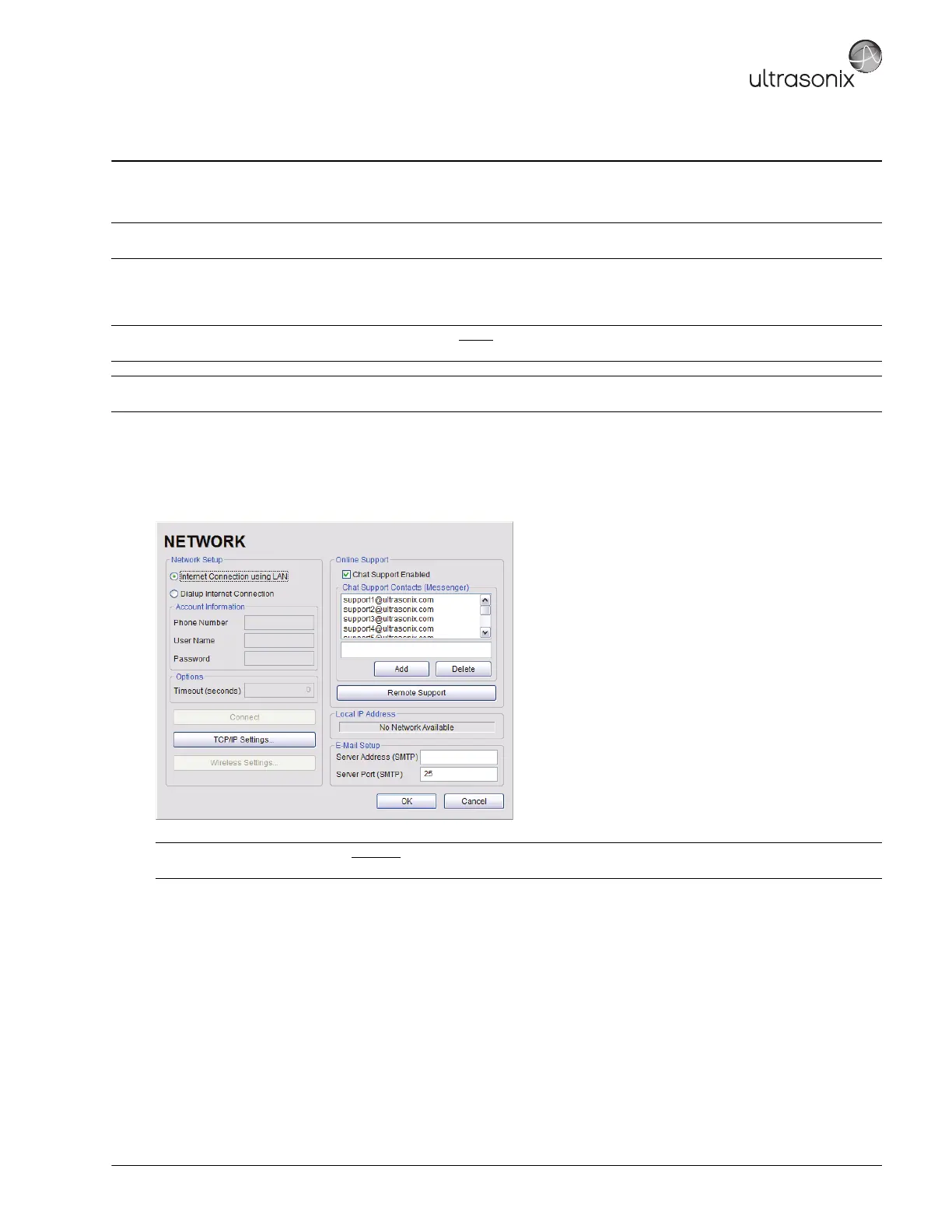
The system can be configured to connect to the local network, either through a hard-wired LAN or Dialup connection.
The Remote Support button is used to connect with an online Ultrasonix technician. Ultrasonix Technical Support will help configure
this option should it ever be required.
9.1 NETWORK
Figure 9-1: Network Configuration Dialog
Note: A dialup connection requires a third-party, USB modem. Contact your dealer or Ultrasonix Technical Support to learn more
about this option.
Caution: System networking options are intended for use inside
your organization's firewall. Organizations that elect to configure/
use the networking functionality provided by Ultrasonix are assuming all liabilities and risks associated with that decision.
Note: Before attempting to configure the Network connection, ask the IT department for the correct Transmission Control Internet
Protocol/Internet Protocol (TCP/IP) settings for the system.
Note: A network connection is required
to use any of the following: DICOM, Online Support, Remote Support and
SonixLIVE.



 To Next Page