SonixTablet Service Manual 00.053.129, Revision C Chapter 10: License.txt Importation
10-1
CHAPTER 10: LICENSE.TXT IMPORTATION
When a new software version is installed, it may be necessary to re-import the license.txt file in order to have full functionality.
10.1 OBTAIN AND COPY LICENSE.TXT ONTO THE SYSTEM
Equipment/Tools Required:
• USB media (memory stick, external hard drive, etc.).
To Obtain and Copy License.txt onto the System:
1. Tap the touch screen button.
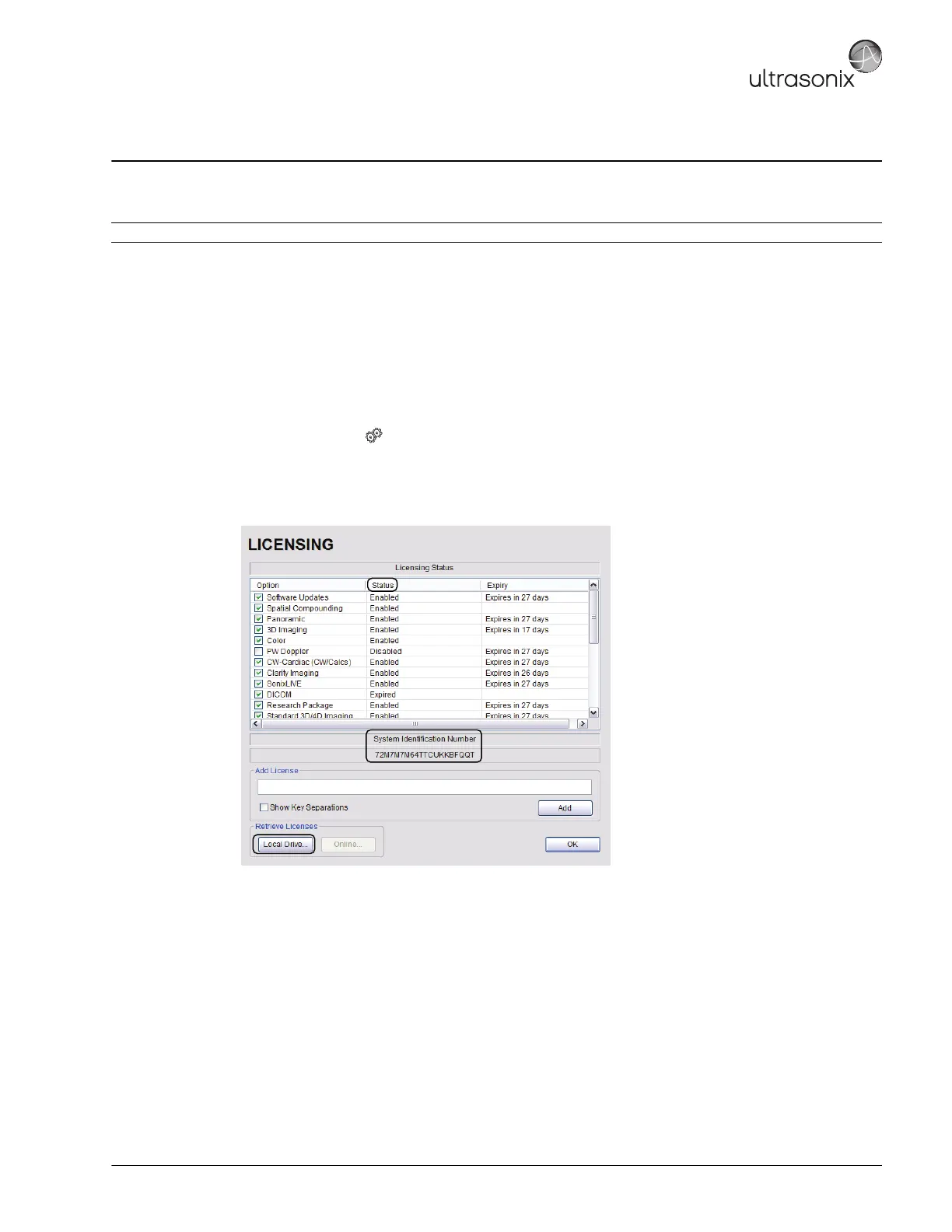
2. Select Administrator > Licensing.
3. Make note of the System Identification Number shown in the Licensing window and forward it to Ultrasonix
Technical Support to obtain a license.txt file.
4. When the license.txt file arrives, copy it to some form of USB media.
5. Copy and paste the new license.txt file onto the D: Drive.
Note: The User Data Export/Import function (7.1.1and 7.1.2) can also be used to backup/restore license.txt.



 To Next Page