SonixTablet Service Manual 00.053.129, Revision C Chapter 3: System Installation
3-5
3.2 PRE-INSTALLATION
3.2.1 Preliminary Inspection
To Inspect the Shipping Crate and Box Upon Arrival:
1. Examine the shipping container(s) for any damage that may have occurred during transport.
2. Look for evidence to ensure that the carton has not been opened.
3. Report any damage to both the carrier and Ultrasonix.
3.2.2 SonixTABLET Unpacking Instructions
Equipment/Tools Required:
• scissors or utility knife
To Unpack the System:
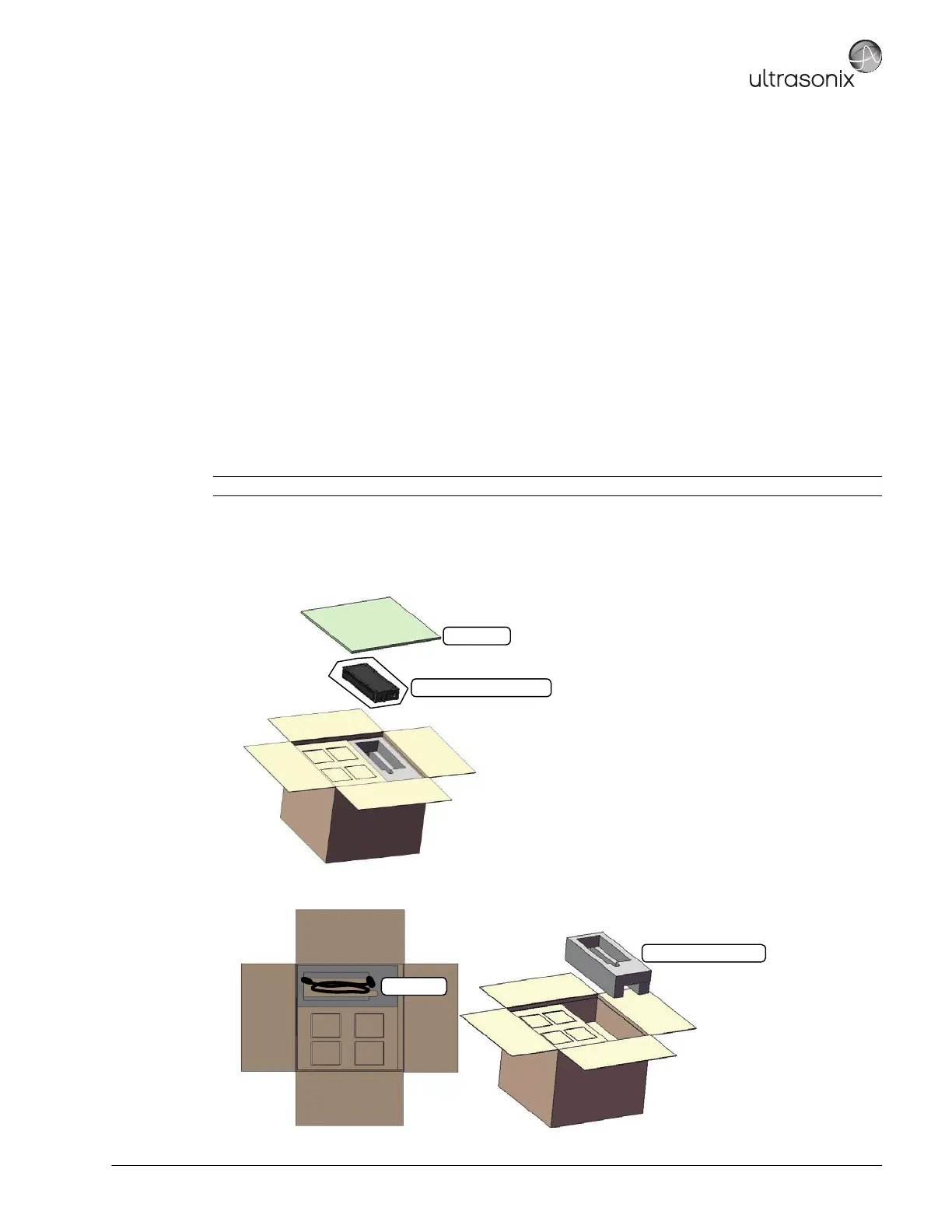
1. Ensure the top of the system box is facing in the correct direction and slice through the tape sealing it.
2. Remove the top foam packing sheet.
3. Remove the Power Pack (encased ina plastic bag).
4. Remove the power cord and the Power Pack/cord foam packing.
Note: If transducers are ordered at the same time as the system, they will be delivered in a separate carton.
Power Pack (in plastic bag)
Foam Sheet
Power Pack/Cord Foam
Power Cord



 To Next Page