Chapter 10: License.txt Importation 00.053.129, Revision C SonixTablet Service Manual
10-2
10.2 RE-IMPORT LICENSE.TXT
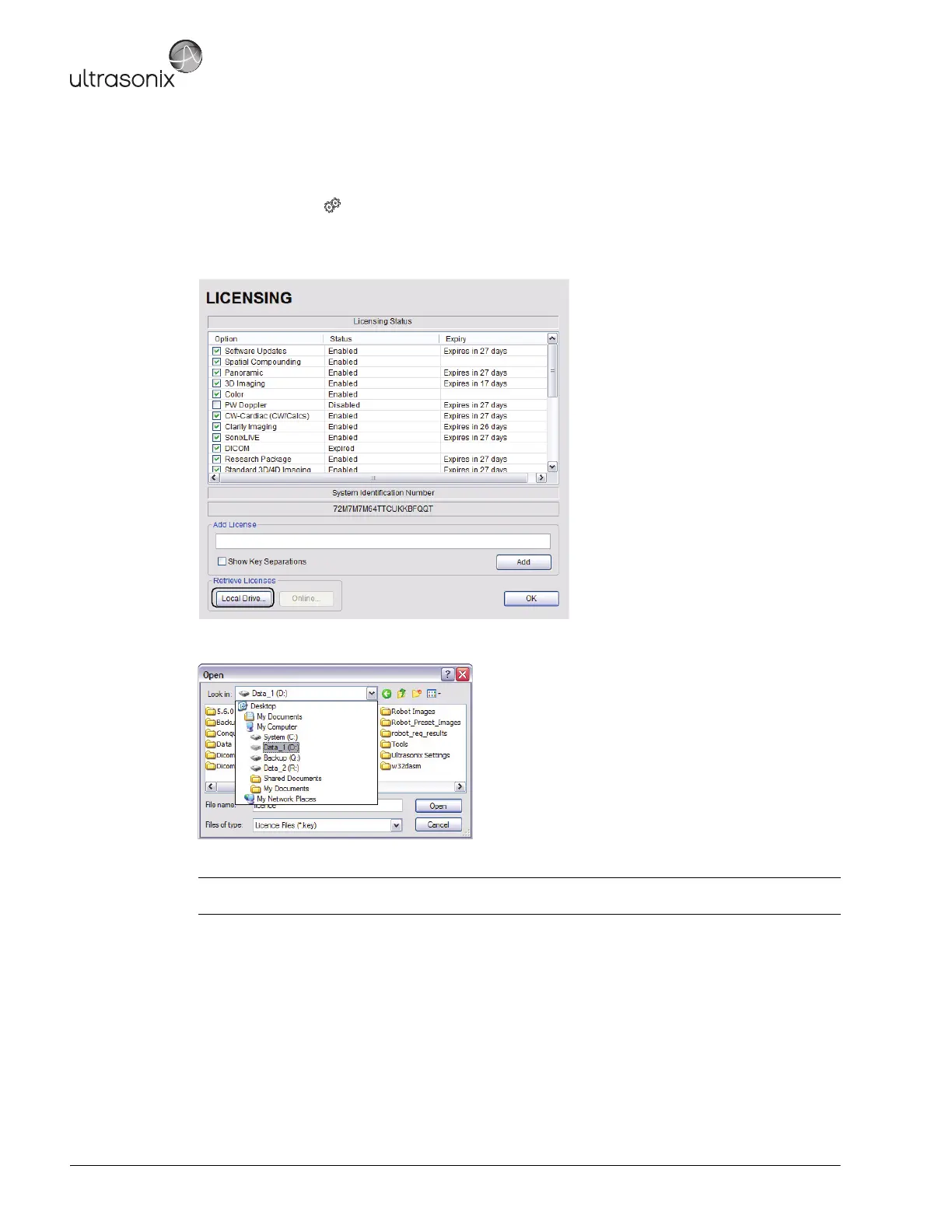
To Re-Import License.txt from a Local Drive:
1. Tap the touch screen button.
2. Select Administrator > Licensing.
3. Select Local Drive.
4. Under the Look in drop-down menu, select the drive containing license.txt (for example, data_1 (D:)).
5. Highlight license.txt and select Open to re-import the file.
Note: If there are any problems, clear all menus, return to the Licensing dialog and contact Ultrasonix
Technical Support for assistance.



 To Next Page