Personal TitleMaker User Guide
14
Configuration 2
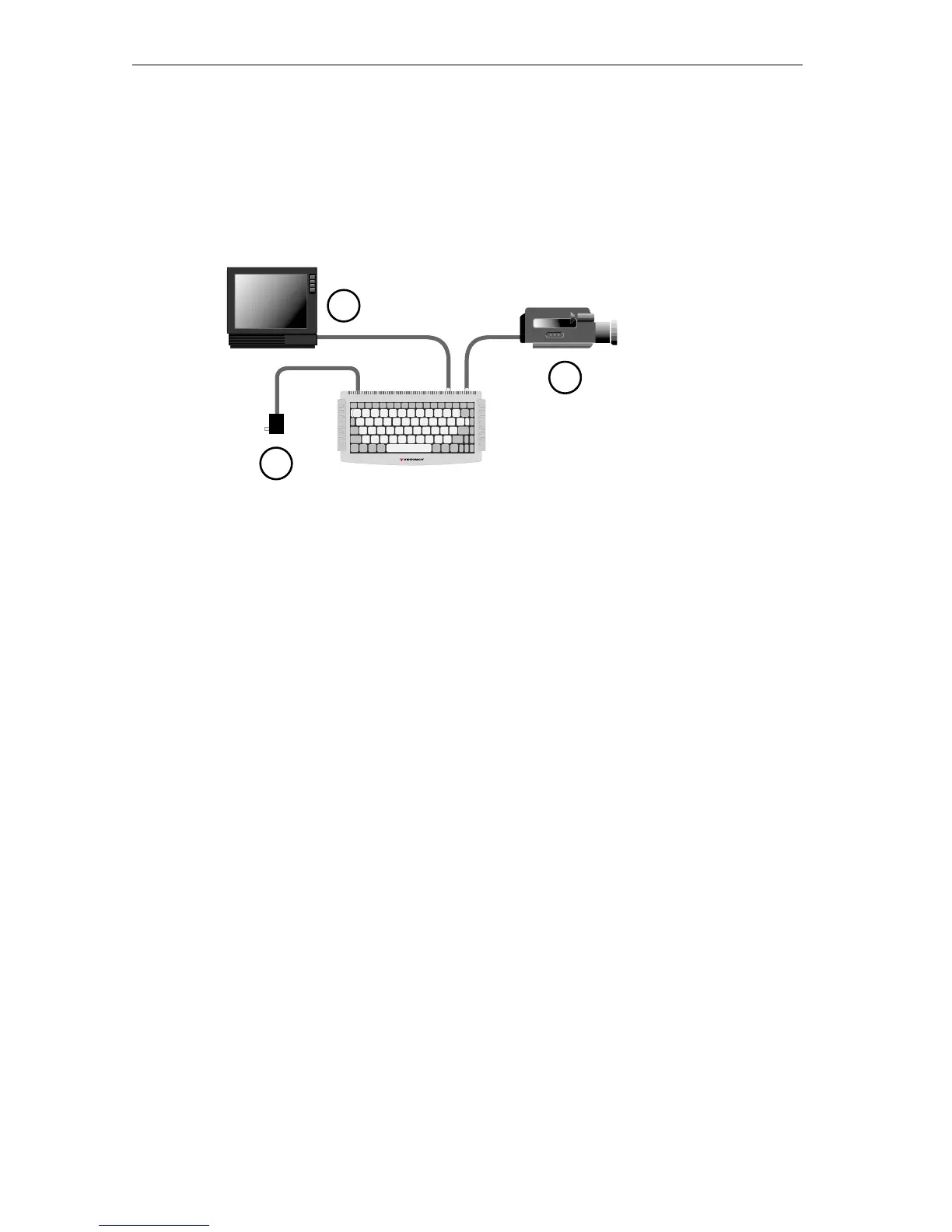
Use this configuration to display titles atop an incoming video signal,
but you cannot record the finished program to tape.
To make the connections for this configuration:
1 Locate the power supply unit in the Personal TitleMaker
package. Connect one end of the power supply unit to the
power jack on the Personal TitleMaker rear panel. Connect
the other end to a suitable wall outlet or power strip.
2 Connect one end of a suitable cable to the
OUT jack on the
input device. Connect the other end of the cable to either
the
COMPOSITE IN or S–VIDEO IN jack on the Personal Title-
Maker rear panel.
3 Connect one end of a suitable cable to the
IN jack on the
video monitor. Connect the other end of the cable to either
the
COMPOSITE OUT or S–VIDEO OUT jack on the Personal Title-
Maker rear panel.
3
1
2



 To Next Page