Personal TitleMaker User Guide
82
Reversing Text Changes
UNDO, in most cases, reverses the last action you performed. For
example, if you press
DELETE twice to remove two characters
from a title, then change your mind, immediately press
UNDO to
restore the last character you deleted.
UNDO works only on the last action you performed. In the preceding
example, the first time you press
UNDO you restore the letter you last
deleted. Press
UNDO again to reverse that action and, consequently,
again delete the letter you just restored.
MARKING TEXT
When working with blocks of text (that is, anything from two charac-
ters to all pages), begin by marking the text. Once marked, any action
you do (such as changing color, style, and so forth) affects everything
within the marked block.
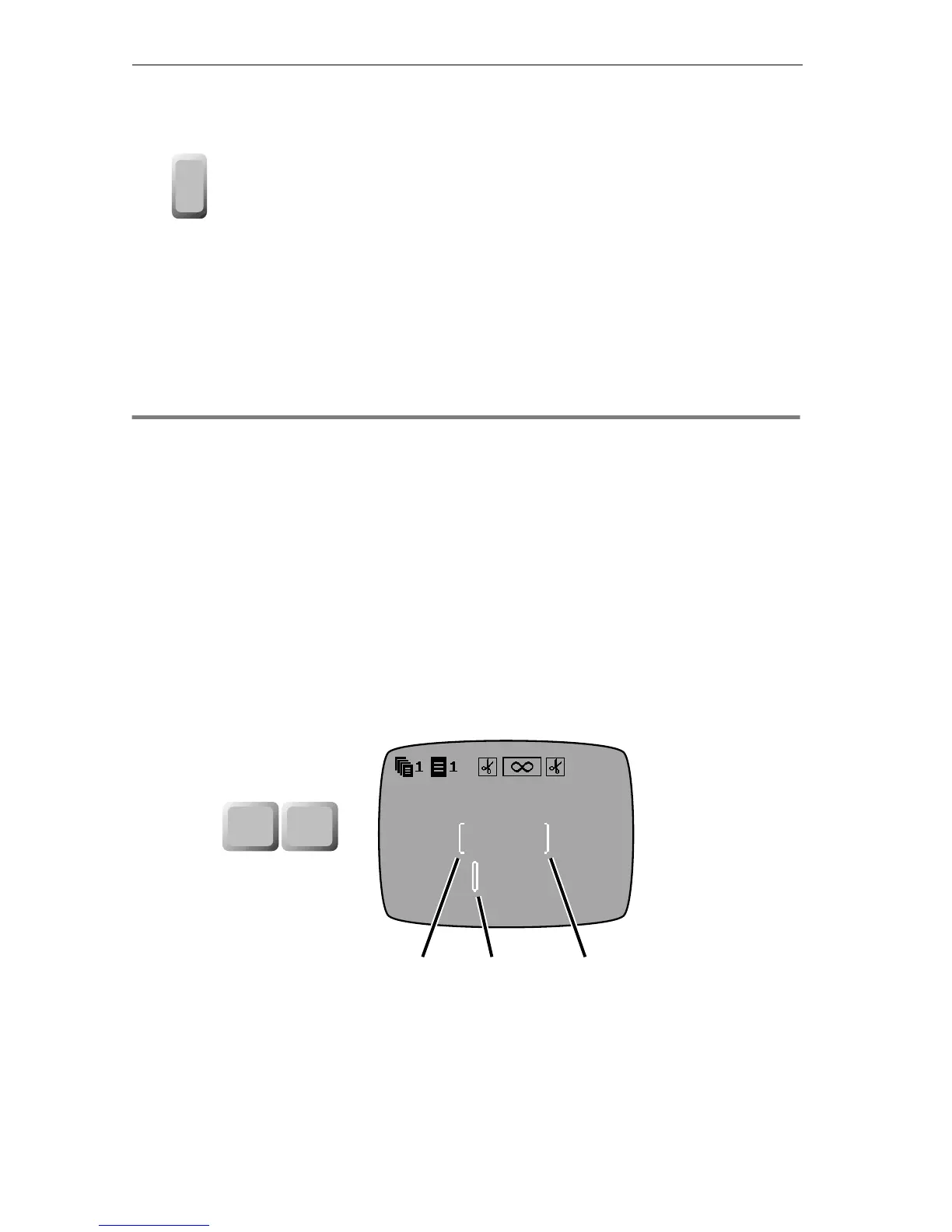
To mark a block of text:
1 On the Editing Screen, position the cursor at the beginning
of the block and press
MARK START.
2 Move the cursor to the end of the block and press
MARK END.
Personal TitleMaker places a start mark symbol ([) at the beginning
and an end mark symbol (]) at the end of the block. In the example
above, the start mark symbol (➊) and the end mark symbol (➌)
bracket the text “Seattle.”. When you mark text, the cursor changes to a
fat cursor (➋) to let you know something is marked.
undo
New York, Chicago,
Dallas, Seattle, Denver,
Reno
❸❷❶
mark
start
mark
end



 To Next Page