Personal TitleMaker User Guide
26
PERSONAL TITLEMAKER SCREENS
Personal TitleMaker has two screens where you do most all work — the
Page Index Screen and the Editing Screen. This guide references these
two screens numerous times, so you must be able to identify them.
There is also the Play Screen, where Personal TitleMaker plays a project
complete with titles and all effects.
Page Index Screen
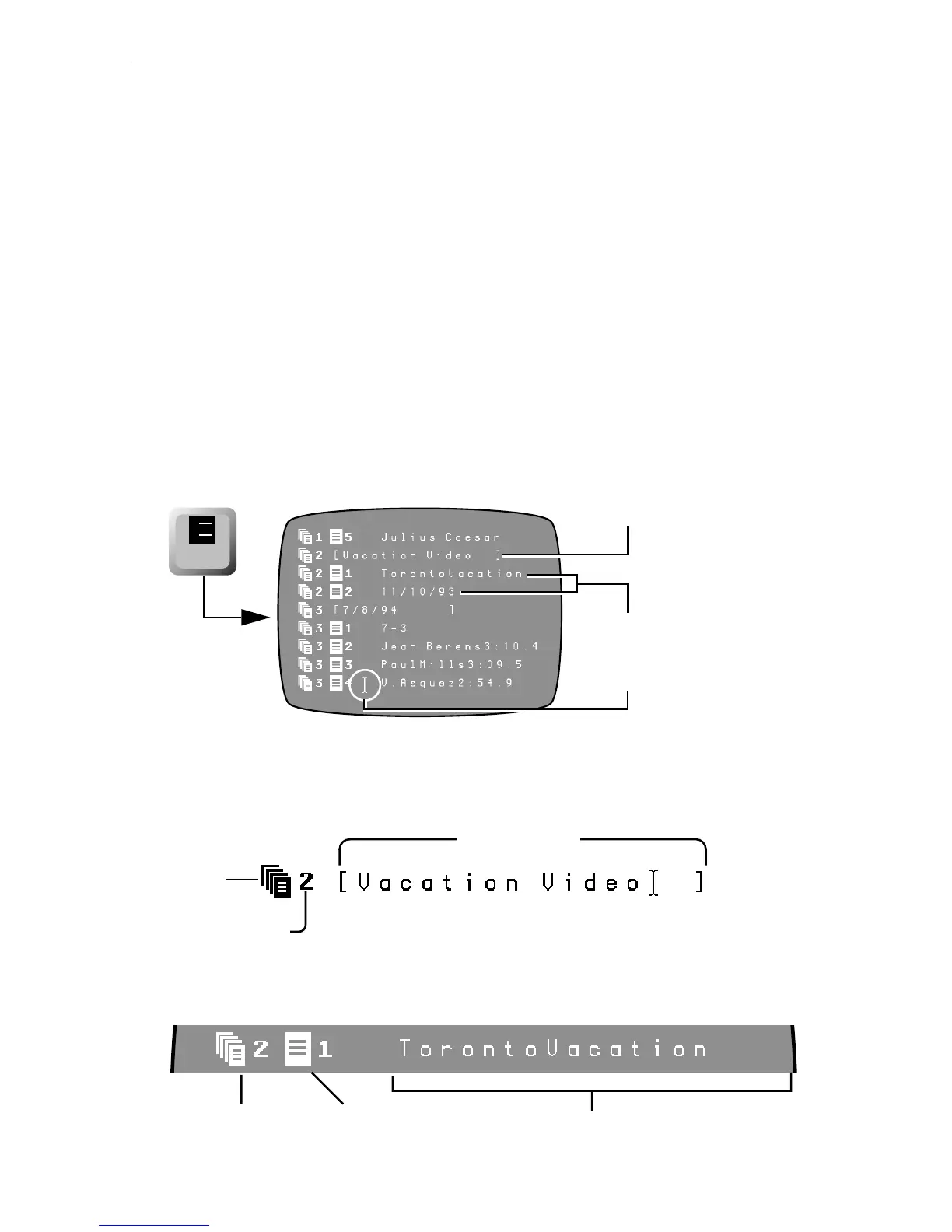
The Page Index Screen lists all pages by project number. Personal Title-
Maker automatically assigns a sequential number (starting at one) to
each page in each project.
To display the Page Index Screen at any time, press
PAGE INDEX.
The first entry for any project is a Project Header. The header includes a
project icon followed by the number of the project. The project name,
once assigned, appears within square brackets.
If the project has any pages, a Page Header for each one appears, in
sequence, below the project header.
page
index
1
2
Project Item
Page Items
Cursor
Project Number
Icon
Project Name
Project
Page IconProject Icon
and Number
Page Title Text
and Number



 To Next Page