Personal TitleMaker User Guide
68
DELETING PAGES
You can easily delete pages from any project.
To delete one or more pages:
1 Locate the page or pages you want to delete on the Editing
Screen.
2 Position the cursor at the very end of the page preceding the
page or pages you want to delete, then press
MARK START.
3 Move the cursor to the end of the page or pages you want to
delete, then press
MARK END. This marks everything between
the start and end markers.
Note
To delete the marked text, the cursor must be positioned immedi-
ately after the mark start symbol ([) or the mark end symbol (]).
4 Press
DELETE.
If you delete a page or pages by accident, press the
UNDO key (before
doing anything else) to reverse the operation and restore the page or
pages.
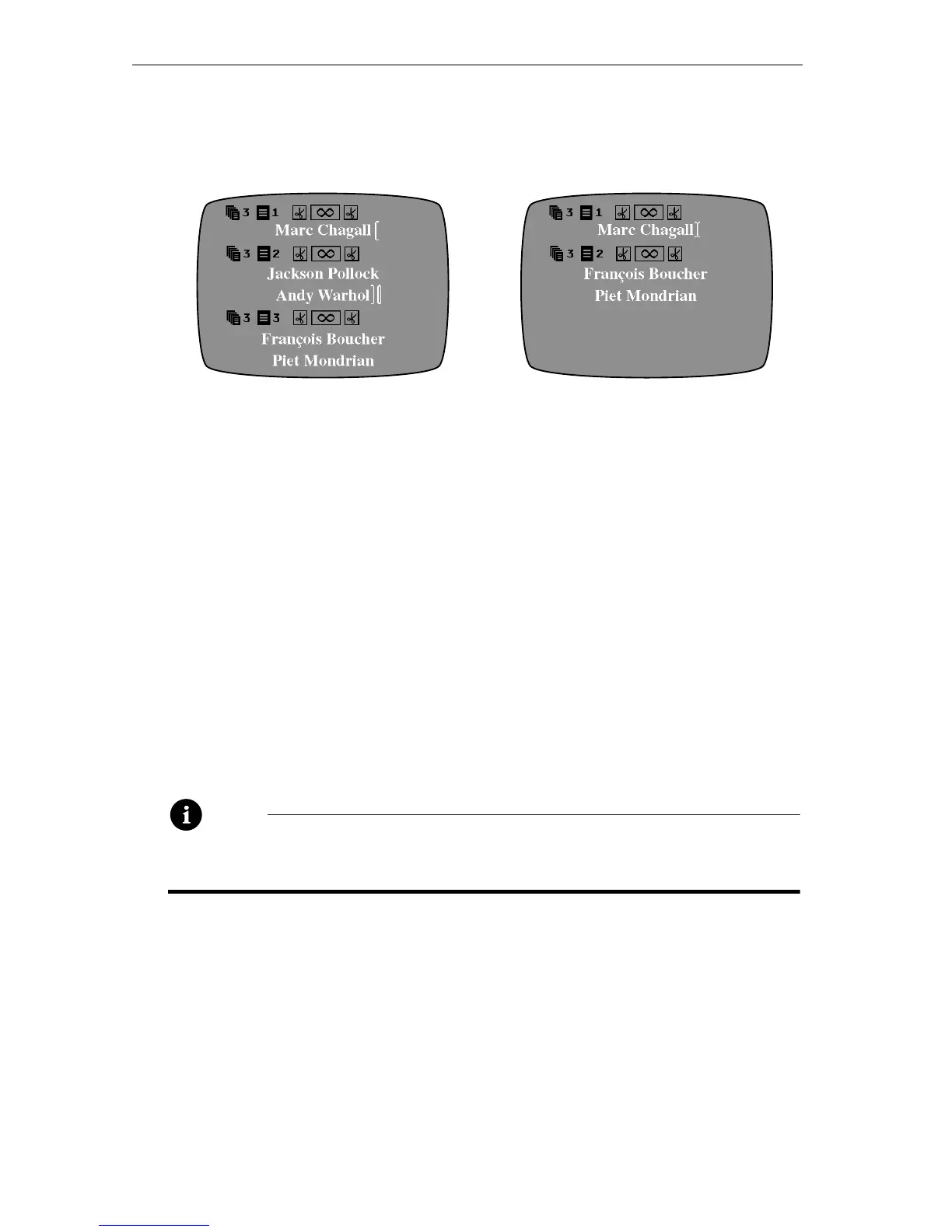
Mark the start and end
positions of the page or pages
you want to delete. The [
symbol indicates the start
position: the ] symbol indicates
the ending position.
When you press
DELETE,
Personal TitleMaker deletes
everything between the start
and end markers.



 To Next Page