Faults 72800115 Markoprint X4JET
Seite 118 von 177 GB
Trouble shooting tasks
Cleaning the ink cartridge
To be done by instructed person.
To be done if print quality deteriorates during printing or after extended period of
non-use.
During printing the print quality may deteriorate due to dust and ink vapour. In this case,
wipe the nozzle plate of the ink cartridge with a moist, lint-free cloth. The water in the
moist cloth dissolves the ink residues and cleans the nozzles and the ink channels.
CAUTION!
Material damage due to incorrect cleaning!
Incorrect cleaning may scratch the nozzles of the ink cartridges, causing
blurred print images since the scratches around the nozzles divert the ink.
Therefore:
– Use only lint-free and absorbent cloths to clean the cartridges.
– Moisten cleaning cloths with water.
– Wipe slowly without pressure.
1. Remove the ink cartridge from the holder. Chapter Inserting / remove the HP ink
cartridge, Page 60
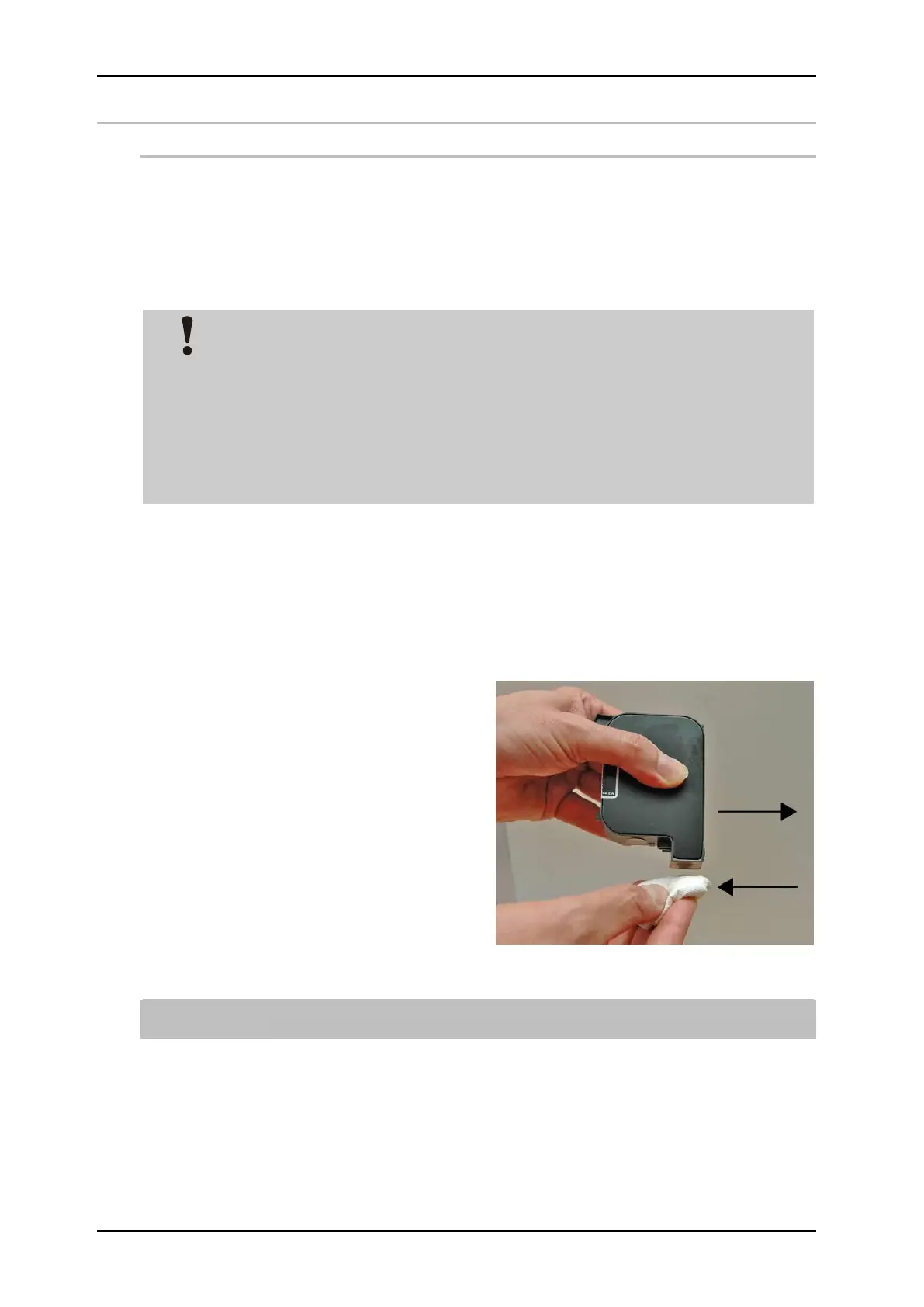
2. Hold the ink cartridge with the nozzle plate facing downward.
3. Slowly wipe across the nozzle plate in the direction of the arrow, using a moistened and
lint-free cloth. Do not shake the ink cartridge!
4. Re-insert the ink cartridge in the holder. Chapter Inserting / remove the HP ink
cartridge, Page 60
Fig. 44: Cleaning the ink cartridge
A small amount of water may mix with the ink in the channels, rendering the first
print a bit grey.



 To Next Page