Operation 72800115 Markoprint X4JET
Seite 83 von 177 GB
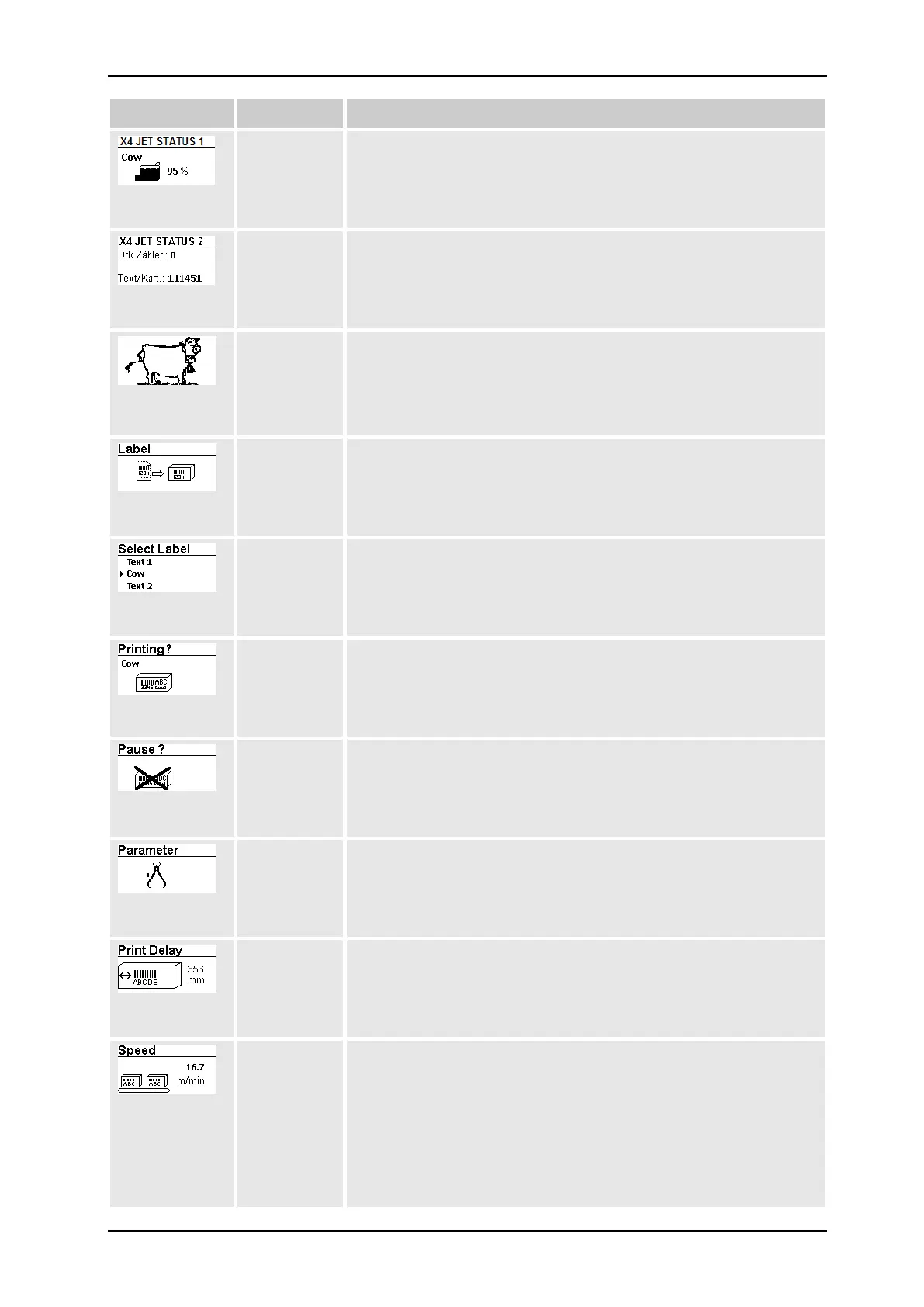
The ink filling level in the ink cartridge and the name of the
currently loaded print image (her: cow) is displayed. If the print
status is set to pause, the text name >>Pause<< appears instead.
Display/Setting for selected print head module
Act. Prints: Number of prints actually printed
Text/Cart.: Number of prints of the loaded text per ink cartridge
Display/Setting for selected print head module
The text currently loaded can be viewed in the print preview. To
do this: Rotate iLOGIK button until the print preview appears and
confirm by pressing. The entire print image can now be observed
by scrolling.
Display/Setting for selected print head module
Texts stored in the memory can be selected for printing in this
menu of the X4JET and a print pause can be set.
Chapter Loading label, Page 86
Display/Setting for selected print head module
In this submenu the desired text can be selected from the list of
stored texts by turning and briefly pressing the iLOGIK.
Confirming the selected text by briefly pressing the iLOGIK or by
switching to pause mode by turning the iLOGIK.
Confirming the pause mode by briefly pressing the iLOGIK.
Print start delay, print speed, intensity, print width, print direction,
selection of nozzle row and upside down print can be set in this
menu
The print start delay can be set in this menu, i.e. by how much is
printing delayed in millimetres after the product is detected by the
light barrier
Chapter Print start delay, Page 87
If the product speed is extremely uniform, the use of the rotary
encoder may be dispensed with. For this purpose, the speed can
be set in the Speed submenu by setting Encoder Intern in the
system menu.
NOTE: This menu is just available when Encoder Intern is set in
the menu.
Chapter speed, Page 89



 To Next Page