CHAPTER 4 - KEYPAD (HMI) OPERATION
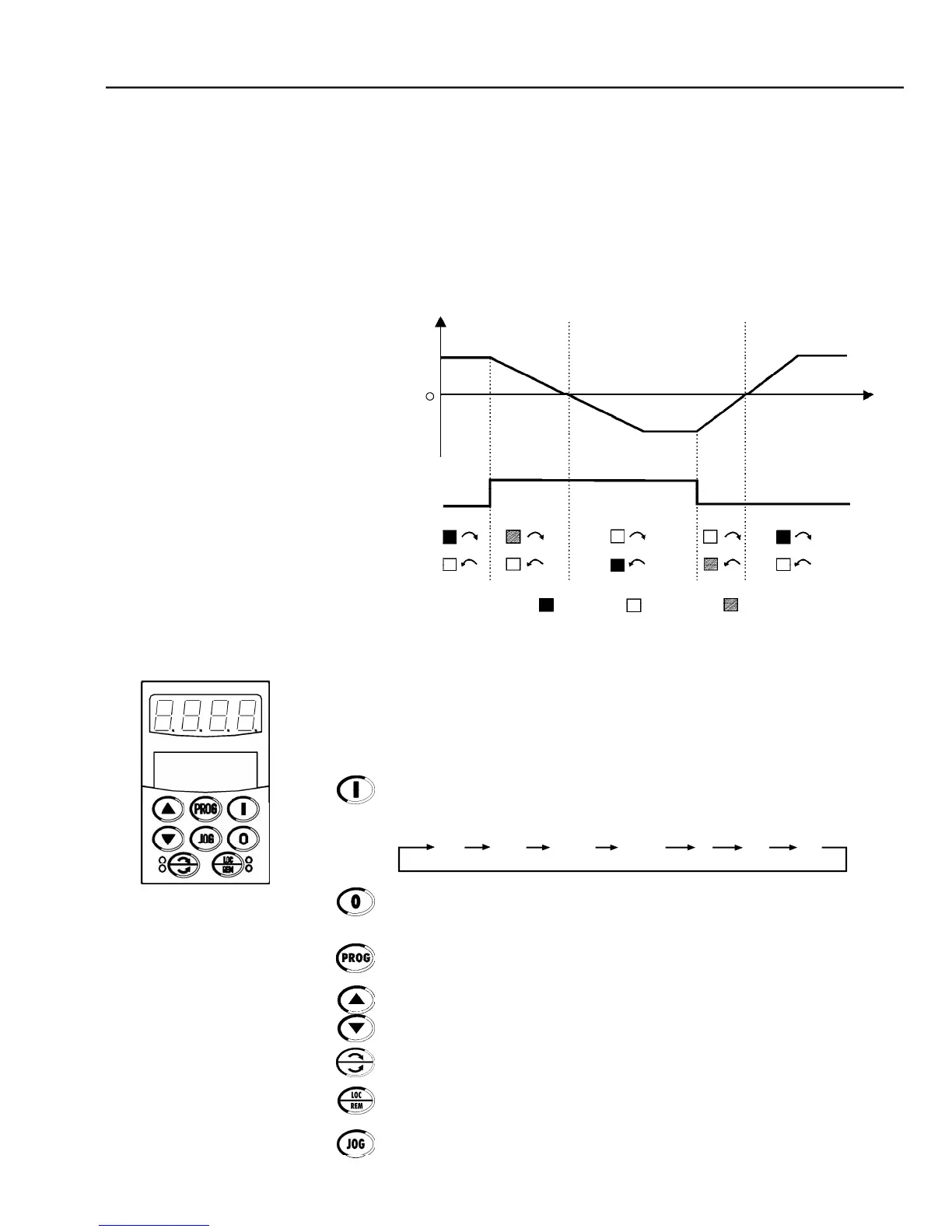
- Direction of rotation (FWD / REV) LEDs
Green LED ON and Red LED OFF.
Green LED OFF and Red LED ON.
Direction of Rotation (FWD/REV) LEDs:
Refer to figure 4.2 below.
Basic Functions of the Keys:
The functions described below are valid for factory default programming and
Local Mode operation. The actual function of thekeys mayvaryif parameters
P220 through P228 arere-programmed.
Starts the inverter via accelerationramp.After starting, the displaysequences
through these units at each touch of the Start key in the order shown here
Stops (disables) the inverter via deceleration ramp. Also resets the inverter
after a fault has occurred.
Toggles the LEDdisplaybetweenthe parameter number andits value(Number/
Increases the speed, the parameter number or the parameter value.
Decreases the speed, the parameter number or the parameter value.
Reverses the direction of motor rotation between Forward/Reverse.
Toggles between the LOCALand REMOTE modes of operation.
Performs the JOG function when pressed.
Any DIx programmed for General Enable must be closed (and the CFW-09
must be stopped) to enable JOG function.
FWD / REV Command (Key or DI2)



 To Next Page