EasyManua.ls Logo

WEG CFW-09 - Read-Only Variables and Status

WEG CFW-09
362 pages
Print Icon
To Next Page IconTo Next Page
To Previous Page IconTo Previous Page
Loading...
89
CHAPTER 4 - KEYPAD (HMI) OPERATION
4.2.2
“Read-Only Variables
and Status
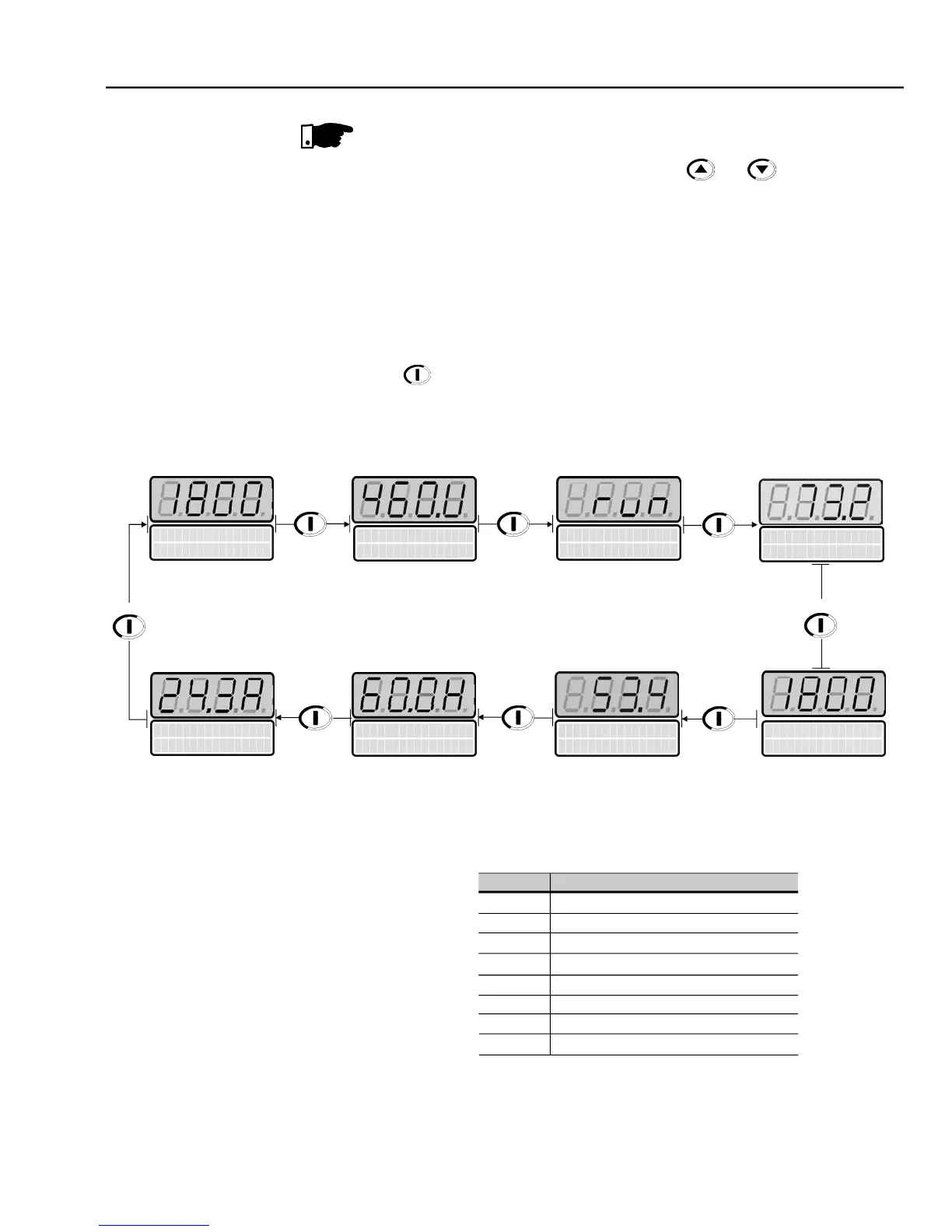
Parameters P002 to P099 are reservedfor the displayof “read-only values. The
factorydefault displaywhen power is applied to the inverteris P002. Motor speed
in rpm. The user can scroll through the various read-only parameters or use the
factory configured display of the key values. This is done by pressing the start
key
.
a)
Some selected “read-only variables can be viewed following the
procedurebelow:
The “read-only variable to be shown after AC power is applied to the inverter
is
defined in Parameter P205:
P205
Initial Monitoring Parameter
0
P005 (Motor Frequency)
1
P003 (Motor Current)
2
P002 (Motor Speed)
3
P007 (Output Voltage)
4
P006 (Inverter Status)
5
P009 (Motor Torque)
6
P070 (motor speed and motor current)
7
P040 (PID process variable)
Table 4.1
- Choosing the initial monitoring parameter
NOTE!
Reference Backup
The last frequency Reference set by the keys and is stored
when the
inverter is stopped or t
he
AC power is removed, provided P120 = 1
(Reference
Backup active is the factory default). To change the frequency reference before
starting the inverter, the value of parameter P121 must be changed.

Output
V
o
l
t
a
g
e
P00
7
=
4
6
0
V
V
F
D
S
t
a
t
u
s
P
0
0
6 =
r
u
n
M
o
t
o
r
F
r
e
q
u
ency
P0
0
5
=
6
0
.
0
H
z
Motor
Current
P
0
0
3
= 2
4
.3 A
Process Valiable
P
0
40 = 53
.
4 %
(Only if P203 = 1)
Press
Press
Press
Mot
o
r
T
o
r
q
u
e
P
0
0
9
=
7
3
.
2
%
Press
Press
Press
Press
M
o
t
or S
p
e
e
d
P
0
0
2
=
1
800 r
p
m
Press
Current = 24.3 A
P
0
0
2
=
1
800 r
p
m

Table of Contents

Other manuals for WEG CFW-09

Related product manuals