ZEISS OPERATION Axio Imager 2
Operating the motorized microscope via the touchscreen of the TFT display
114 430000-7544-001 01/2016
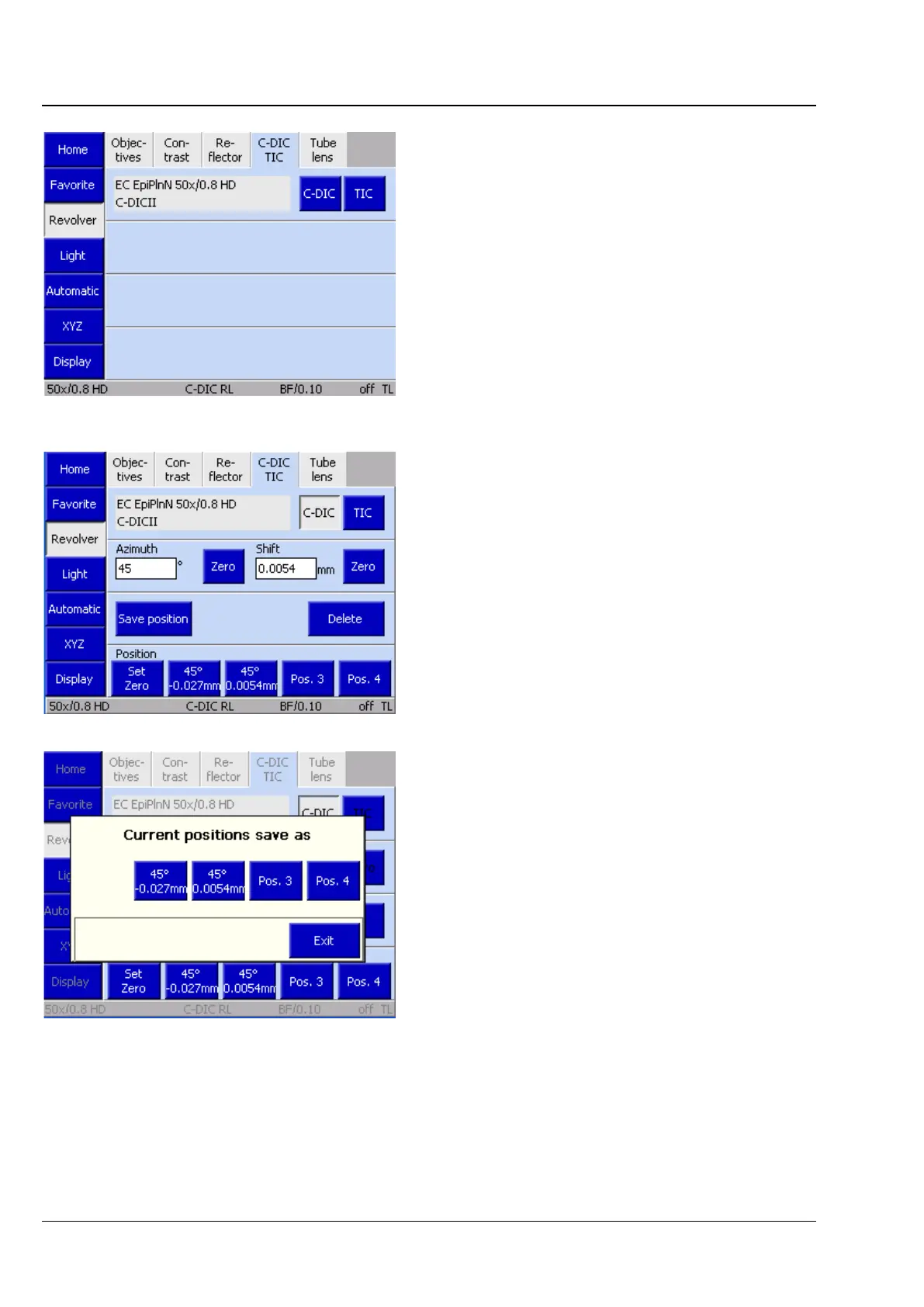
(4) C-DIC / TIC tab
On this page, the desired method can be selected
by pressing the relevant button, provided the
configured objective and the analyzer installed in
the reflector turret are suitable for this method.
Depending on the objective used, the settings for
C-DIC or TIC can be made on this tab.
Azimuth and shift (for C-DIC only) are set directly
using the setscrews provided on the modulator
turret. This data cannot be entered directly on the
TFT display.
Circular DIC
• To set the azimuth value, turn the front
setscrew on the modulator turret. The relevant
values are shown directly. Each click-stop
position of the setscrew corresponds to a one-
degree change.
Press the Zero button to set the mid-position.
• Turn the rear setscrew to set the shift value.
Each click-stop position of the setscrew
corresponds to a 0.05-mm change.
Press the Zero button to reset the value to 0.
The Azimuth and Shift values are saved
automatically and temporarily for each objective. If
no Azimuth or Shift has already been set for a
given objective, the settings of the objective last
used will be employed. In the event that there are
no values to fall back on for any of the objectives,
the default azimuth and shift values will be used.
In addition, it is possible to save up to four pairs of
fixed values for azimuth and shift. These can be
restored via the Position buttons located on the
lower edge of the screen.
Assigned buttons are labeled with the set azimuth
and shift values. Unallocated buttons are labeled
Pos. 1 to Pos. 4. The Reset to Zero button sets the
Azimuth to mid-position and Shift to zero.
Fig. 106 Microscope -> Revolver -> C-DIC/TIC
Fig. 108 Saving the position








 To Next Page