Axio Imager 2 OPERATION ZEISS
Operating the motorized microscope via the touchscreen of the TFT display
01/2016 430000-7544-001 121
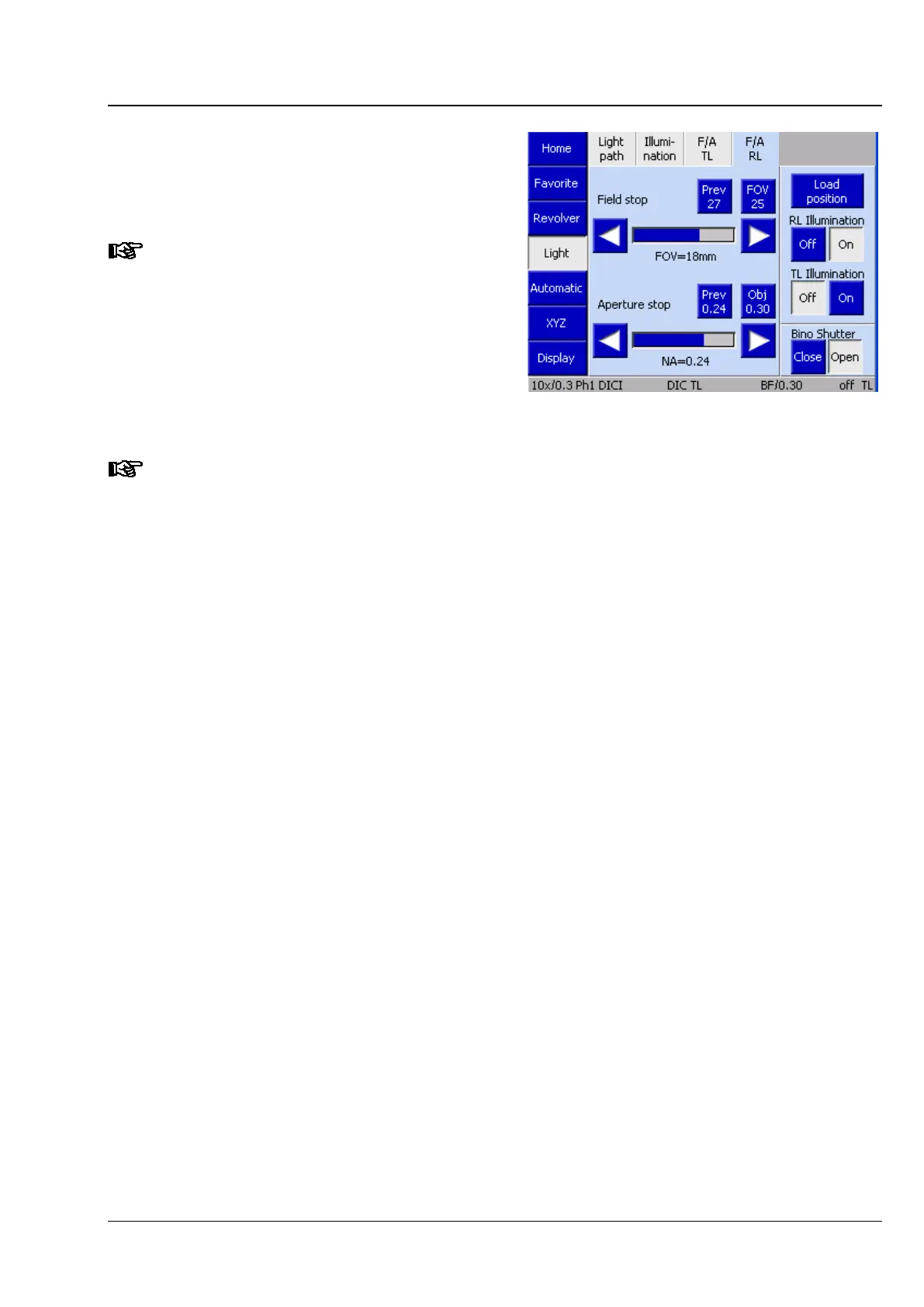
(4) F/A RL tab
The luminous-field diaphragm diameter and the
aperture diaphragm for the reflected-light path can
be set here.
This function
is only available if a
motorized field diaphragm or aperture
diaphragm is installed.
The following applies to all diaphragms in reflected and transmitted light:
No configuration of objectives and eyepieces available:
Diaphragm aperture data are
unscaled. The values presented are absolute in relation to the
physical aperture of the diaphragms.
Configuration of objectives and eyepieces available:
Diaphragm aperture data are presented for the field number of the eyepieces and aperture of
the objective used.
Prev (previous) button:
this always shows the value last set.
Max/SF button:
this shows the maximum useful (optically scaled) diameter of the diaphragms.
When one of the two buttons is pressed, the relevant diaphragm is automatically set to the
value displayed.
Whenever the light manager is used, the optimum diameter is set automatically. Other
values, which may range up to the maximum diaphragm diameter p
hysically attainable, can
be set via the arrow buttons.
The last set values are lost when the objective is changed.
Fig. 118 Microscope -> Light -> F/A RL








 To Next Page