Instructions for Use 8 Operation
2660021169042 Rev. A 2018-03 8.6 Check Scan Quality
2660021169042 Rev. A 2018-03 101 / 246
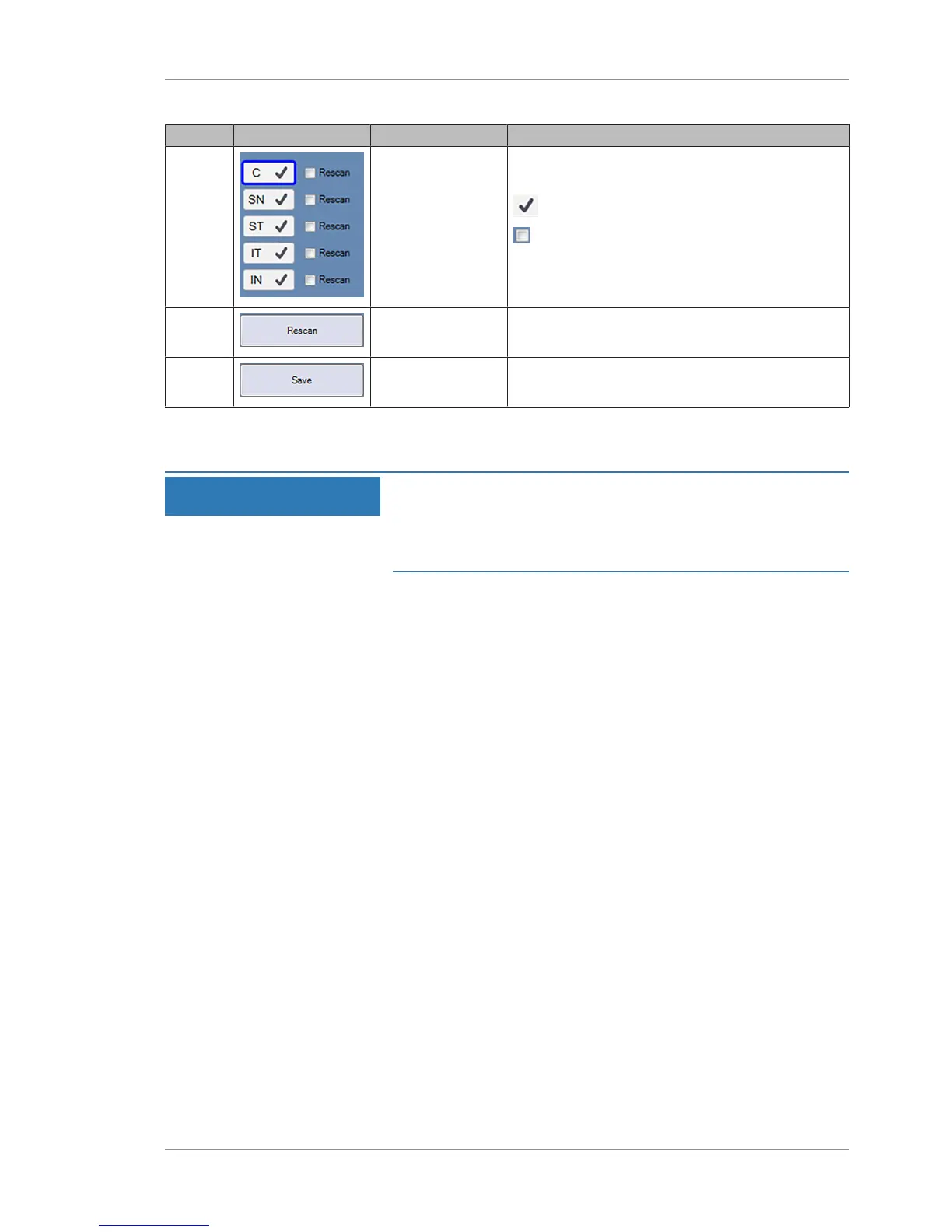
Pos. Symbol Name Explanation
2 Rescan Options Indicates which component scans of the montage
exist and selects which scans to retake.
Indicates the component scan exists.
Check to indicate which scans to retake.
3 Rescan Begin scan sequence for selected scan(s).
4 Save Saves all component scans and the montage.
8.6.3 Checking Scan Quality
NOTE
Failing to check scans for quality
can lead to poor criteria for disease diagnosis.
u Always rescan images if there are any question regarding its
quality.
Each individual scan must pass all checks listed in this procedure.
Retake scans that do not pass these checks.
To check scan quality, ensure all of the following criteria are
met:
Prerequisite
þ Acquire Data (Scan) [}82].
Action 1. Focus is sharp and clear with good visibility of the branching
blood vessels.
2. Fundus image is illuminated uniformly without dark corners.
3. Scan overlaying the Fundus image is centered over the area to
be analyzed.
Fovea if scanning macula or optic nerve head.
4. Few or no artifacts cast shadows on the OCT scan.
5. Few or no saccades on the EnFace image in the area to be
analyzed.
Saccades appear as discontinuities of the blood vessels
(horizontal shifts of the vessel):













 To Next Page