6 Configuring Software Instructions for Use
2660021169042 Rev. A 2018-036.3 Setting Preferences
68 / 246 2660021169042 Rev. A 2018-03
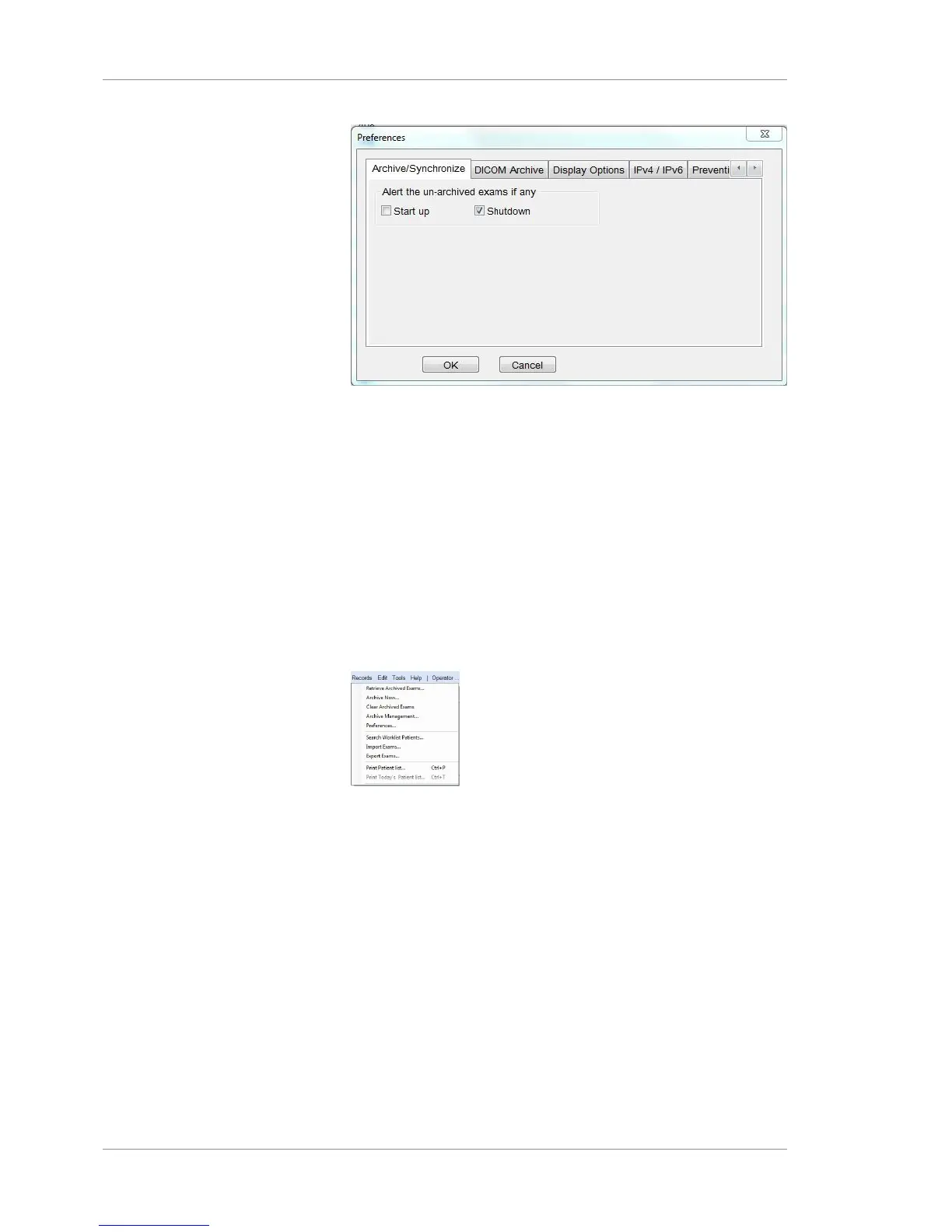
3. To alert the operator of un-archived data each time the
instrument starts up, check Startup .
4. To alert the operator of un-archived data each time the
instrument shuts down, check Shutdown.
5. Select Shutdown to archive on shutdown.
6. Click OK.
6.3.2 Setting the Default Patient Screen
To set the default patient screen:
Prerequisite
þ Logging In as Operator or Data Analyst [}73]
Action 1. Select Records > Preferences.
2. Select the Display Options tab.
3. To set the patient screen to start with Find Existing Patients,
choose Find Existing Patients.
4. To set the patient screen to start with Find Today's Patients,
choose Find Today's Patients.
5. Click OK.
6.3.3 Enabling Automatic Worklist Search (DICOM)
To enable automatic worklist search:
Prerequisite
þ Logging In as Operator or Data Analyst [}73]
Action 1. Select Records > Preferences.













 To Next Page